
AI Appointment Booking: Automate Scheduling for Your Business (2026 Guide)
Learn how AI appointment booking works, reduce no-shows by 30%, and set up your own AI scheduling bot in 60 seconds. Complete guide for service businesses.

Jean-Elie Lecuy
|Founder of ClawRapid
SaaS builder writing about OpenClaw, AI agents, and agentic coding, with one goal: make powerful tooling actually usable.
Your phone rings at 11 PM. A potential client wants to book a consultation for next Tuesday. You are asleep. By morning, they have already booked with your competitor who had an AI appointment booking system answering instantly.
This scenario plays out thousands of times every day across salons, clinics, coaching practices, and consulting firms. 67% of customers prefer self-service booking over calling a business. And 80% of consumers consider the speed of response a critical factor when choosing a service provider.
AI appointment booking changes the equation entirely. Instead of voicemail, missed calls, and back-and-forth emails, an AI bot handles the entire booking process 24/7 -- qualifying clients, checking availability, confirming appointments, and sending reminders. All without human intervention.
In this guide, you will learn exactly how AI appointment booking works, the real benefits for service businesses, how to choose the right platform, and how to set up your own AI booking assistant in under 60 seconds.
Table of Contents
- What Is AI Appointment Booking?
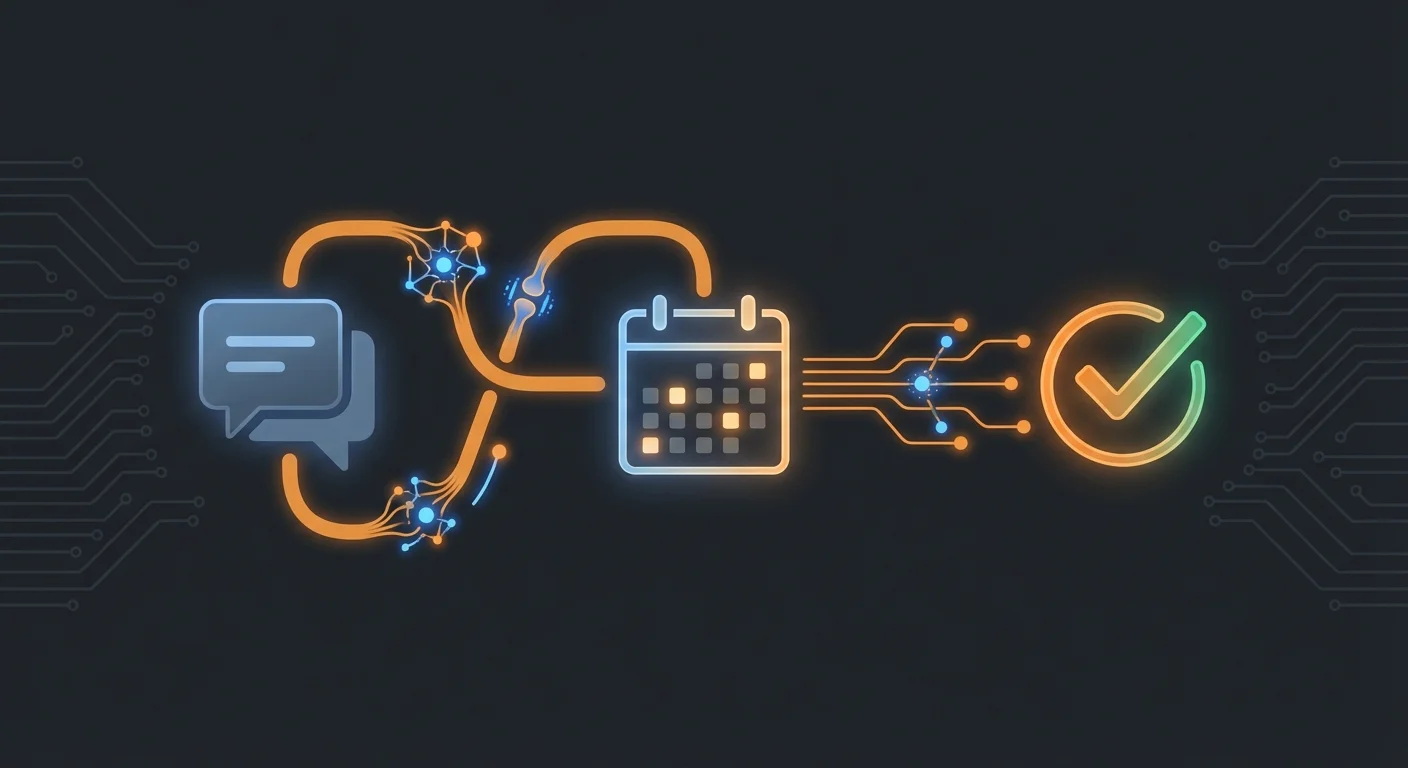
- How AI Appointment Booking Works: The 5-Step Process
- 7 Benefits of AI Appointment Booking for Service Businesses
- Who Needs AI Appointment Booking?
- AI Appointment Booking Platforms Compared (2026)
- How to Set Up an AI Booking Assistant in 60 Seconds
- Best Practices for AI Scheduling Bots
- Common Mistakes to Avoid
- FAQ
- Bottom Line
What Is AI Appointment Booking?
AI appointment booking is the use of artificial intelligence -- typically a chatbot or voice assistant -- to handle the entire scheduling process for a business. Instead of a human receptionist or a static online form, an AI booking assistant converses with clients naturally, understands their needs, checks real-time availability, and confirms appointments automatically.
Unlike traditional online booking tools (Calendly, Acuity) that require clients to navigate a web interface, an AI appointment booking system works where your clients already are: Telegram, WhatsApp, your website chat, or even over the phone.
A modern AI booking assistant can:
- Answer client questions about services, pricing, and availability in real time
- Qualify clients before booking (service type, special requirements, insurance info)
- Check your calendar and suggest available slots
- Book, reschedule, and cancel appointments with natural conversation
- Send confirmations and reminders via text, email, or messaging apps
- Handle multiple clients simultaneously, 24 hours a day
The key difference from a simple scheduling widget? AI appointment booking understands context. A client can say "I need a haircut next Thursday afternoon" and the bot will check availability, suggest specific times, and complete the booking -- all in a natural conversation.
How AI Appointment Booking Works: The 5-Step Process
Every AI appointment booking system follows a similar workflow. Understanding these steps helps you evaluate platforms and configure your own bot effectively.
Step 1: Client Initiates Contact
The process starts when a potential client reaches out through any channel your AI monitors:
- A message on Telegram or WhatsApp
- A chat widget on your website
- A phone call handled by voice AI
- A direct message on Instagram or Facebook
The AI greets them instantly -- no wait time, no "press 1 for appointments." This immediate response is critical: 78% of customers buy from the vendor that responds first.
Step 2: AI Qualifies and Understands the Request
The bot asks targeted questions to understand what the client needs:
- "What service are you looking for?"
- "Is this your first visit?"
- "Do you have a preferred day or time?"
- "Any specific practitioner you would like to see?"
Unlike a static form, the AI adapts its questions based on responses. A returning client might skip introductory questions. A client asking about a complex service might get additional qualifying questions.
Step 3: Real-Time Availability Check
The AI connects to your calendar system (Google Calendar, Outlook, custom CRM) and checks live availability. It presents options that match the client's preferences:
- "Dr. Smith has openings on Thursday at 2 PM and 4 PM, and Friday at 10 AM. Which works best for you?"
- "We have a 45-minute slot available tomorrow at 3 PM. Should I book that for you?"
This happens in seconds, compared to the traditional approach of calling, waiting on hold, and manually checking availability.
Step 4: Booking Confirmation
Once the client selects a slot, the AI:
- Creates the calendar event with all relevant details
- Sends a confirmation message with date, time, location, and preparation instructions
- Updates your CRM or booking system
- Notifies your staff if needed
Step 5: Automated Follow-Up
The AI does not stop at booking. It handles the entire lifecycle:
- 24-hour reminder sent via the client's preferred channel
- Same-day reminder with any last-minute instructions
- Post-appointment follow-up requesting feedback or rebooking
- Waitlist management -- if a slot opens up, the AI automatically contacts waitlisted clients
This follow-up loop is where AI appointment booking delivers its biggest ROI, dramatically reducing no-shows and driving repeat bookings.
7 Benefits of AI Appointment Booking for Service Businesses
1. Eliminate No-Shows (Reduce by 30-50%)
No-shows cost service businesses an estimated $150 billion per year in the US healthcare sector alone. AI appointment booking tackles this head-on with automated reminders.
Studies show that automated text reminders reduce no-shows by 29-39%. When you combine smart reminders with easy rescheduling via chat ("Can't make it Thursday? Reply with a new time"), the improvement is even greater.
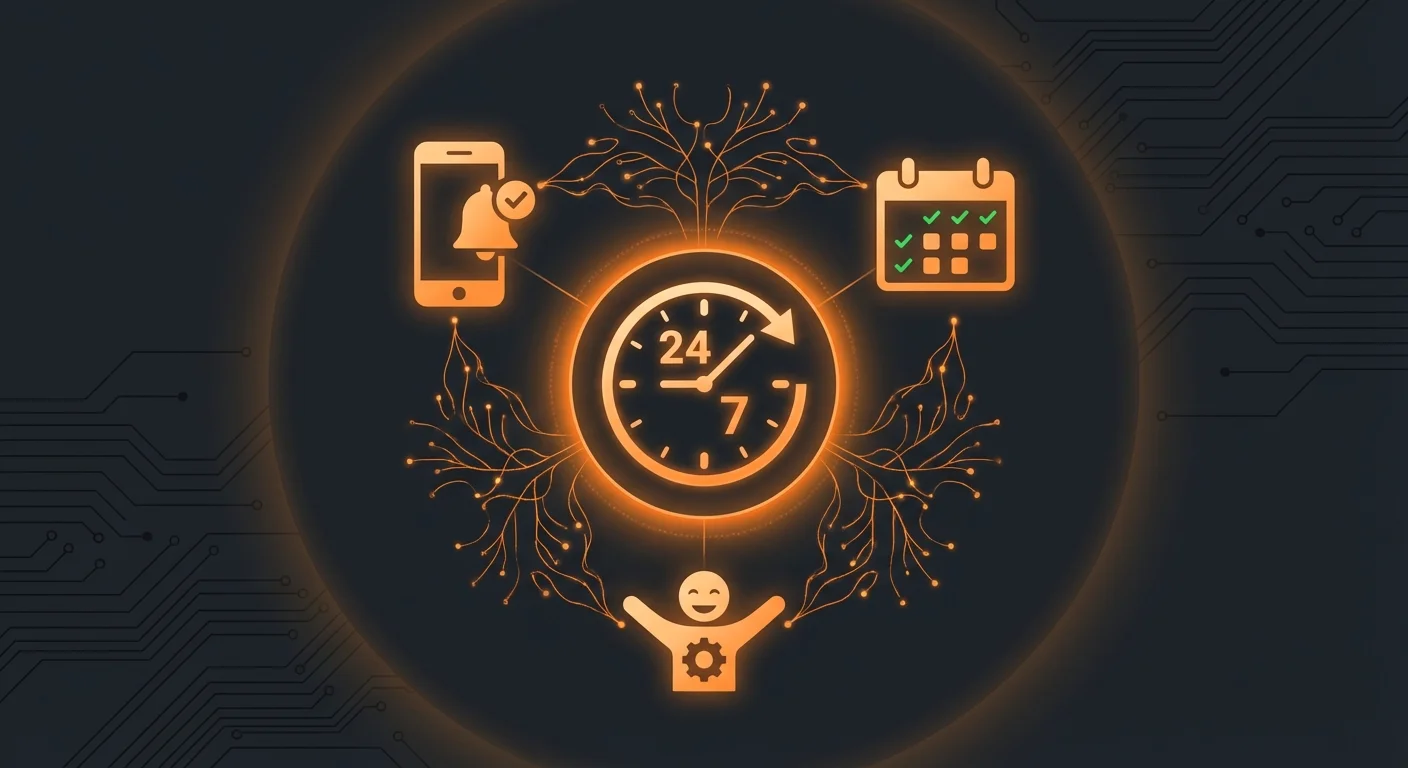
2. Book Clients 24/7, Never Miss a Lead
Service businesses lose an estimated 35% of potential bookings because they happen outside business hours. An AI booking assistant never sleeps, never takes a lunch break, and handles Saturday night inquiries just as efficiently as Monday morning ones.
For international clients across time zones, this is even more critical. A coaching business serving clients globally cannot afford to respond only during 9-to-5 local time.
3. Save 15-20 Hours Per Week on Administrative Work
A typical salon, clinic, or consulting practice spends 15-20 hours weekly on scheduling-related tasks: answering calls, sending confirmations, following up on no-shows, managing waitlists. An AI bot handles all of this automatically.
That is 15-20 hours you or your staff can redirect to actually serving clients and growing the business.
4. Handle Multiple Clients Simultaneously
A human receptionist handles one call at a time. An AI booking assistant handles 50 conversations simultaneously without breaking a sweat. During peak inquiry periods -- Monday mornings for medical clinics, evenings for salons -- this capacity is invaluable.
5. Reduce Booking Friction
Every extra step in the booking process loses potential clients. Traditional booking flows require:
- Finding the business website
- Navigating to the booking page
- Creating an account (often)
- Selecting service, date, time
- Filling in personal details
- Confirming
An AI booking assistant reduces this to a single conversation: "I'd like a massage next Friday." Done.
6. Collect Client Data Automatically
Every AI booking interaction captures valuable data:
- Service preferences
- Scheduling patterns (always books Tuesdays at 2 PM)
- Communication preferences
- Special requirements or notes
This data feeds into better service personalization and smarter marketing over time.
7. Scale Without Hiring
As your business grows from 20 to 200 appointments per week, a human receptionist becomes a bottleneck. AI appointment booking scales infinitely. Whether you have 5 bookings or 500 per day, the cost stays the same.
Who Needs AI Appointment Booking?
AI appointment booking is not for every business. It delivers the highest ROI for service businesses where:
- Appointments are the core revenue model (no appointment = no revenue)
- No-shows are costly (empty slots cannot be resold easily)
- Clients expect convenience (especially younger demographics)
- Staff time is expensive (every hour on the phone is an hour not serving clients)
Here are the industries seeing the biggest impact:
Hair Salons and Barbershops
Average no-show rate: 20-30%. AI reminders and easy rescheduling can cut this in half. A salon with 40 appointments/day losing 8-12 to no-shows recovers 4-6 slots daily -- that is $200-600 in recovered revenue every single day.
Medical and Dental Clinics
Patient scheduling is complex (different appointment types, insurance verification, preparation instructions). AI handles the complexity while maintaining HIPAA-compliant communication.
Business Consultants and Coaches
Solo practitioners who cannot afford a full-time receptionist. An AI bot handles scheduling while you focus on client sessions. It also qualifies leads before booking: "What is your primary business challenge?" filters out tire-kickers.
Fitness Studios and Personal Trainers
Class bookings, one-on-one sessions, waitlist management. AI handles all three simultaneously across multiple channels.
Real Estate Agents
Property viewing scheduling across multiple listings, buyer qualification, and follow-up. An AI assistant ensures every lead gets an immediate response, even during showings.
AI Appointment Booking Platforms Compared (2026)
Choosing the right AI booking platform depends on your business size, technical comfort, and budget. Here is an honest breakdown of the main options:
Enterprise Solutions ($200-1,000+/month)
Synthflow AI -- Voice AI focused on phone call handling. Best for high-volume call centers and medical practices. SOC 2 and HIPAA compliant. Starting at $450/month.
Retell AI -- Voice AI for appointment scheduling. Strong calendar integrations. Best for businesses that receive most bookings via phone. Starting at $200/month.
Intercom/Drift -- Full customer platform with booking capabilities. Overkill for most small service businesses. Starting at $74/month but quickly scales to $500+.
Mid-Range Solutions ($30-100/month)
Tidio -- Chatbot builder with booking templates. Good for websites. Limited messaging app support. Starting at $29/month.
Robofy -- Appointment booking chatbot for websites. Simple setup. $49/month.
Calendly + Zapier -- Not true AI, but automated scheduling with integrations. $12-20/month for Calendly plus Zapier costs.
Affordable AI Solutions ($45/month)
ClawRapid -- Managed AI assistant that works on Telegram and WhatsApp. Deploys in 60 seconds with no code. Personalized for your business niche with custom knowledge base. Handles booking conversations naturally. $45/month, includes hosting and $15/mo AI credit.
DIY / Open Source (Free + Hosting Costs)
OpenClaw -- Open-source AI assistant framework. Powerful but requires technical setup: server provisioning, API key management, prompt engineering. Best for developers who want full control. Expect $15-30/month in hosting and API costs, plus your time.
What Sets ClawRapid Apart
Most AI booking platforms are either too expensive for small businesses or too technical for non-developers. ClawRapid fills the gap:
- No code required -- Deploy in 60 seconds, not 60 hours
- Messaging-first -- Works on Telegram and WhatsApp where clients actually chat
- Business-personalized -- The AI knows your services, pricing, and policies
- Flat pricing -- $45/month, no per-conversation fees, no API surprises
- Human support -- Real people help you configure and optimize
How to Set Up an AI Booking Assistant in 60 Seconds
Setting up an AI appointment booking system does not require technical skills. Here is a step-by-step guide using ClawRapid:
Step 1: Describe Your Business
Go to clawrapid.com and fill in:
- Your business type (salon, clinic, coaching, etc.)
- Services you offer and their durations
- Your working hours and availability
- Any special booking rules (minimum notice, cancellation policy)
Step 2: Choose Your Channel
Select where your AI booking assistant will live:
- Telegram -- Instant setup, share the bot link with clients
- WhatsApp -- Coming soon, currently in beta
- Website widget -- Embed on your booking page
Step 3: Customize the AI Personality
Adjust the tone and behavior:
- Formal or casual conversation style
- Language (English, French, and more)
- What information to collect before booking
- How to handle special requests
Step 4: Connect Your Calendar (Optional)
Link your Google Calendar, Outlook, or any calendar that supports iCal. The AI will check real-time availability before suggesting slots.
Step 5: Deploy and Share
Click deploy. Your AI booking assistant is live within 60 seconds. Share the link with clients, add it to your Instagram bio, include it in email signatures, or embed it on your website.
That is it. No server setup, no API keys, no coding. Your AI appointment booking system is ready to handle clients.
Best Practices for AI Scheduling Bots
To get the most out of your AI booking assistant, follow these proven practices:
Keep the Conversation Short
The ideal booking conversation takes 4-6 messages. More than that, and clients drop off. Configure your AI to:
- Ask only essential questions upfront
- Offer 2-3 time slot options (not 10)
- Confirm in one message with all details
Set Up Smart Reminders
The optimal reminder schedule for reducing no-shows:
- 48 hours before -- First reminder with appointment details
- 24 hours before -- Second reminder with preparation instructions
- 2 hours before -- Final reminder with location/link
Each reminder should include a one-tap option to reschedule or cancel. Making it easy to reschedule is better than dealing with a no-show.
Train the AI on Your Business
The more context your AI has, the better it performs. Provide:
- A complete service menu with durations and prices
- Common client questions and answers
- Your cancellation and rescheduling policy
- Special instructions (parking, preparation, what to bring)
Monitor and Improve
Review your AI booking conversations weekly for the first month:
- Where do clients drop off?
- What questions does the AI struggle with?
- Are there recurring requests the bot cannot handle?
Use these insights to refine your bot's knowledge base and conversation flows.
Offer a Human Fallback
Always give clients the option to reach a human. "I'd be happy to connect you with [name] if you prefer speaking with someone directly." This builds trust and catches edge cases the AI cannot handle.
Common Mistakes to Avoid
Overcomplicating the Booking Flow
Do not ask for 15 pieces of information before booking. Name, service, and preferred time are enough to start. Collect additional details in a follow-up message or at the appointment.
Ignoring No-Show Follow-Up
When a client no-shows, the AI should automatically reach out: "We missed you today! Would you like to reschedule?" This recovers 15-25% of no-shows into rebooked appointments.
Not Testing the Client Experience
Book an appointment with your own AI bot before going live. Experience it as a client would. Is it too slow? Too many questions? Confusing? Fix it before real clients encounter these issues.
Setting Unrealistic Expectations
Your AI booking assistant is excellent at scheduling. It should not try to be a doctor, lawyer, or financial advisor. Keep the scope focused: booking, rescheduling, basic FAQs, and reminders.
Forgetting About Mobile
Over 70% of booking inquiries come from mobile devices. Ensure your AI works flawlessly on Telegram, WhatsApp, and mobile browsers. Avoid sending long paragraphs -- keep messages short and scannable on small screens.
FAQ
Q: How much does AI appointment booking cost?
A: Costs range widely. Enterprise voice AI solutions start at $200-450/month. Mid-range chatbot platforms run $30-100/month. ClawRapid offers a managed AI booking assistant at $45/month, including hosting and $15/mo AI credit. DIY solutions using open-source tools cost $15-30/month in infrastructure but require technical skills.
Q: Can an AI booking bot integrate with my existing calendar?
A: Yes. Most AI booking platforms integrate with Google Calendar, Outlook, Apple Calendar, and CRM systems like HubSpot or Salesforce. ClawRapid connects to Google Calendar and Outlook, with more integrations coming.
Q: Will clients actually use an AI to book appointments?
A: Absolutely. 67% of consumers prefer self-service booking options. Younger demographics (under 40) strongly prefer chat-based booking over phone calls. The key is making the experience feel natural, not robotic.
Q: How do AI booking bots handle cancellations and rescheduling?
A: A well-configured AI booking assistant handles these automatically. Clients can say "I need to reschedule my Thursday appointment" and the bot will offer alternative times, update the calendar, and send a new confirmation. No human intervention needed.
Q: Is AI appointment booking secure for medical practices?
A: It depends on the platform. Enterprise solutions like Synthflow offer HIPAA compliance. For smaller practices, ensure your platform encrypts conversations and does not store sensitive health information in plain text. Always check compliance certifications before deploying.
Q: What happens if the AI cannot answer a client's question?
A: Good AI booking systems have a human handoff built in. When the AI encounters a question outside its knowledge base, it says something like: "Great question! Let me connect you with our team for a detailed answer." The conversation is then forwarded to you with full context.
Q: How long does it take to set up an AI booking system?
A: With platforms like ClawRapid, deployment takes about 60 seconds. Enterprise solutions typically require 2-4 weeks for full setup including integrations, training, and testing. DIY solutions using open-source frameworks vary from a few hours to several weeks depending on complexity.
Q: Can the AI handle multiple languages?
A: Yes. Most modern AI booking assistants support multiple languages. ClawRapid supports English and French natively, with more languages on the way. The AI detects the client's language automatically and responds accordingly.
Bottom Line
AI appointment booking is no longer a luxury for large enterprises. It is a practical, affordable tool that any service business can deploy today. The numbers speak for themselves: 30-50% fewer no-shows, 24/7 availability, 15-20 hours saved per week, and a better experience for your clients.
The businesses that adopt AI scheduling now will have a significant competitive advantage. While competitors fumble with voicemail and email tag, your AI booking assistant is confirming appointments at midnight.
Ready to stop losing clients to missed calls and slow responses?
Deploy your AI booking assistant in 60 seconds. Visit clawrapid.com and set up your personalized AI appointment booking bot today. No code, no hassle, just smarter scheduling.
Which agent do you want to deploy?
The battle-tested assistant, extensible with 16,000+ skills.
Which model do you want as default?
Low token prices with Max reasoning. You can also connect a ChatGPT subscription that includes this model.
You can switch anytime from your dashboard
Which channel do you want to use?
You can switch anytime from your dashboard
In 60 seconds, your AI agent is live.
Related articles

OpenClaw for Product Managers: The Complete PM Stack
How PMs use OpenClaw to automate sprint reviews, PRDs, meetings, Jira and Productboard. 14 verified skills.

AI Assistant for Freelancers: One System Instead of Ten Tabs
Why freelancers need a unified AI assistant instead of 10 fragmented tools. Invoicing, client comms, prospecting, and time tracking in one place.
AI Copilot for Community Managers: Automate Your Daily Workflow with OpenClaw
Discover how OpenClaw becomes the ideal AI copilot for community managers: scheduling, auto-replies, analytics, and competitive monitoring.