
AI Assistant for Small Business: The Complete 2026 Guide
Discover how AI assistants help small businesses save 20+ hours/week. Compare tools, costs, and get started in 60 seconds with our step-by-step guide.

Jean-Elie Lecuy
|Founder of ClawRapid
SaaS builder writing about OpenClaw, AI agents, and agentic coding, with one goal: make powerful tooling actually usable.
Small business owners wear every hat. Marketing, sales, customer support, scheduling, invoicing - the list never ends. According to a 2024 Verizon Digital Ready survey, the average small business owner loses 21.8 hours per week to repetitive administrative tasks.
AI assistants are changing that equation. Not the generic chatbots of 2020, but intelligent, context-aware agents that understand your business and handle real work - from answering customer questions at 2 AM to qualifying leads while you sleep.
This guide covers everything you need to know about using an AI assistant for small business in 2026: what they actually do, how much they cost, which tools work best for different business types, and how to get one running in under 60 seconds.
What Is an AI Assistant for Small Business?
An AI assistant for small business is software that uses large language models (LLMs) like GPT, Claude, or Gemini to handle tasks that would normally require a human employee or virtual assistant.
Unlike simple chatbots that follow rigid scripts, modern AI assistants:
- Understand context: They remember previous conversations and learn your business specifics
- Handle complex requests: Not just FAQ answers, but appointment booking, lead qualification, and personalized recommendations
- Work across channels: Website chat, Telegram, WhatsApp, email, and SMS
- Operate 24/7: No sick days, no timezone issues, no overtime pay
- Improve over time: The more they interact with your customers, the better they get
The key difference from enterprise AI (Intercom, Zendesk, Drift) is accessibility. You don't need a technical team or a $2,500/month budget. Modern AI assistants for small business start at $20-50/month and take minutes to set up.
Why Small Businesses Need AI Assistants in 2026
The numbers tell a clear story:
- 95% of businesses using AI report cost and time savings (Salesforce State of Service Report, 2025)
- 64% of small businesses already use at least one AI tool (U.S. Chamber of Commerce, 2025)
- AI handles customer inquiries at $0.50 per conversation versus $6-12 for human agents (Gartner, 2025)
- Response time drops from hours to seconds, which directly impacts conversion rates
But beyond the statistics, here's what actually matters for small business owners:
You Can't Be Available 24/7 (But Your AI Can)
A coaching client sends a message at 11 PM asking about your next program. A potential customer visits your real estate listing page on Sunday morning. A restaurant patron wants to book a table at 6 AM.
Without an AI assistant, these leads go cold. With one, they get an instant, helpful response that keeps them engaged until you're back online.
Your Time Is Your Most Valuable Asset
Every hour spent answering "What are your hours?" or "Do you deliver to my area?" is an hour not spent on high-value work. AI assistants handle the repetitive 80% so you can focus on the strategic 20%.
Your Competitors Already Use One
This isn't futuristic anymore. In 2026, not having an AI assistant is a competitive disadvantage. Customers expect instant responses, and the businesses that deliver them win.
Best AI Assistant Use Cases by Business Type
Not every business needs AI for the same reasons. Here's a breakdown by industry:
Coaches and Consultants
- Lead qualification: AI asks the right questions (budget, timeline, goals) and books discovery calls with qualified prospects only
- FAQ handling: Program details, pricing, scheduling - answered instantly
- Session follow-up: Automated check-ins after coaching sessions
- Content delivery: Share resources, worksheets, and recordings based on the client's program stage
Real Estate Agents
- Property inquiries: Answer questions about listings 24/7 (square footage, neighborhood, pricing)
- Showing scheduling: AI coordinates viewing times with your calendar
- Lead nurture: Follow up with prospects who viewed a listing but didn't book
- Market updates: Send personalized market reports to past clients
Restaurants and Food Businesses
- Reservation management: Take bookings, handle cancellations, manage waitlists
- Menu inquiries: Answer questions about ingredients, allergens, and daily specials
- Order taking: Process takeout and delivery orders through messaging apps
- Review management: Respond to Google and Yelp reviews professionally
E-commerce and Retail
- Product recommendations: Suggest items based on customer preferences and purchase history
- Order tracking: Real-time updates on shipping and delivery
- Returns and exchanges: Guide customers through the process automatically
- Abandoned cart recovery: Re-engage customers who left items in their cart
Freelancers and Agencies
- Project inquiries: Qualify potential clients based on scope, budget, and timeline
- Proposal generation: Create customized proposals based on initial conversations
- Status updates: Keep clients informed about project progress without manual check-ins
- Invoice follow-up: Automated, polite payment reminders
Service Businesses (Plumbers, Electricians, Cleaners)
- Emergency triage: Determine urgency and route appropriately
- Appointment booking: Schedule service calls based on your availability
- Quote requests: Gather project details and provide rough estimates
- Follow-up: Request reviews after completed jobs
How Much Does an AI Assistant Actually Cost?
This is where most guides get vague. Let's break down the real numbers.

Option 1: Human Virtual Assistant
- Cost: $500-2,000/month for a part-time VA (more for US-based)
- Hours: 20-40 hours/week
- Availability: Business hours only (unless you pay for shifts)
- Scalability: Need more help? Hire another one.
Option 2: Enterprise AI Platforms
| Platform | Monthly Cost | Best For |
|---|---|---|
| Intercom | $39/seat/mo + AI add-on | SaaS support teams |
| Zendesk AI | $55/agent/mo | Omnichannel enterprise |
| Drift | $2,500/mo | B2B sales |
| HubSpot | Free - $800/mo | Marketing-heavy businesses |
These are powerful but designed for companies with dedicated support teams. Overkill for most small businesses.
Option 3: SMB-Focused AI Tools
| Platform | Monthly Cost | Best For |
|---|---|---|
| Tidio | $29/mo | eCommerce chatbots |
| Manychat | $15/mo | Social media DMs |
| Lindy AI | $49.99/mo | Workflow automation |
| ClawRapid | 45 EUR/mo | Messaging-first AI assistant |
Option 4: DIY with Open-Source
If you're technical, you can build your own AI assistant using open-source frameworks like OpenClaw. The costs:
- LLM API calls: $5-30/month (depending on volume)
- Hosting: $5-20/month (VPS)
- Your time: 10-40 hours for initial setup, ongoing maintenance
Total DIY cost: $10-50/month - but you need technical skills and time to maintain it.
The Sweet Spot for Small Business
For most small businesses, the best value is a managed AI assistant in the $30-50/month range. You get the power of modern LLMs without the technical overhead, and it's a fraction of the cost of a human VA.
ClawRapid, for example, costs 45 EUR/month and handles deployment, hosting, model selection, and channel integration. You get a personalized AI assistant on Telegram (WhatsApp coming soon) that knows your business, in about 60 seconds.
How to Get Started: 3 Approaches
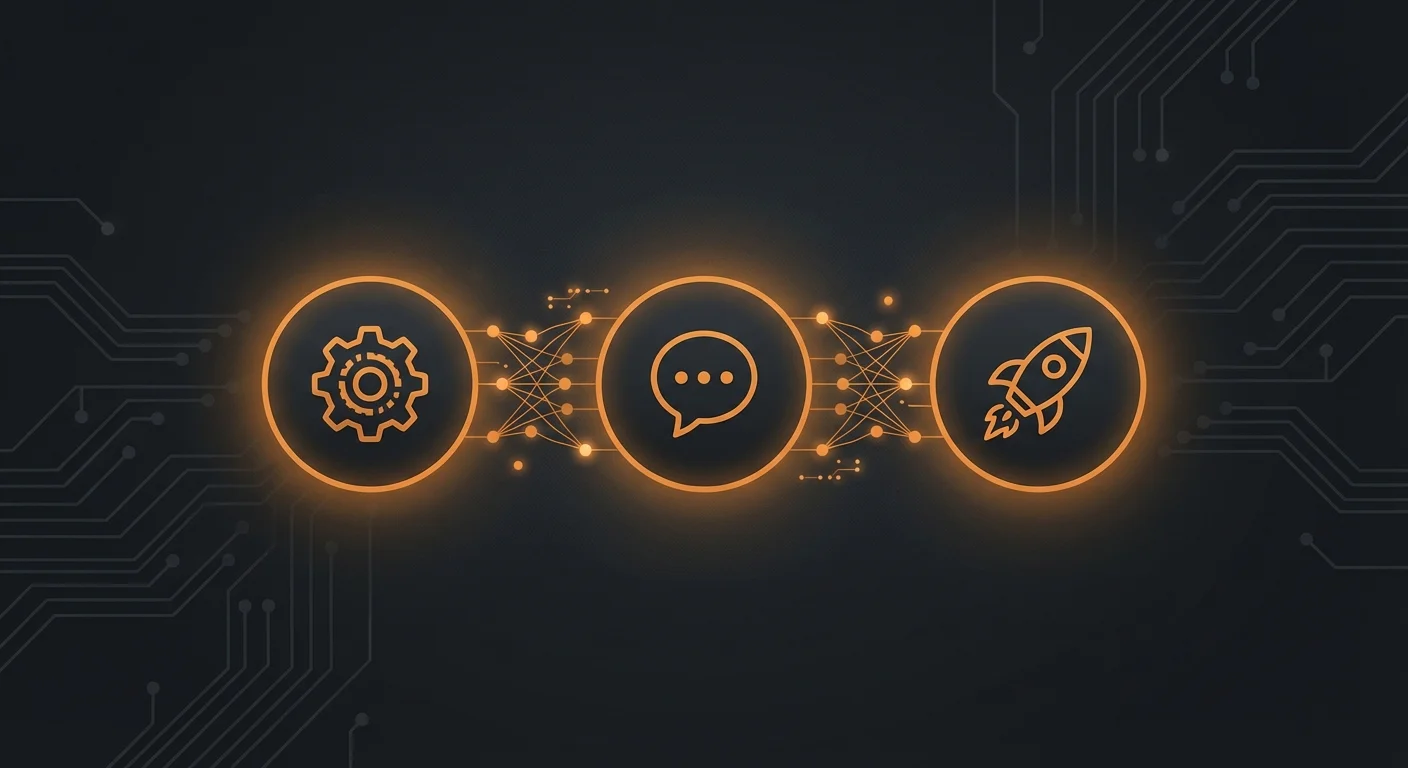
Approach 1: Managed Platform (Fastest)
Best for: Non-technical business owners who want results today.
- Choose a platform that fits your primary channel (website, Telegram, WhatsApp, Instagram)
- Describe your business - what you do, your services, your FAQ
- Connect your channel - most platforms handle this in a few clicks
- Test and refine - send test messages, adjust the AI's knowledge base
With ClawRapid, this entire process takes about 60 seconds:
- Pick your AI model (GPT, Claude, or others)
- Choose Telegram as your channel
- Describe your business in a few sentences
- Hit deploy
Your AI assistant is live and ready to answer customer questions immediately.
Approach 2: No-Code Builder (More Control)
Best for: Business owners who want custom workflows without coding.
Platforms like Lindy AI, Make, or Zapier let you build AI-powered workflows visually:
- Define triggers (new message, form submission, email received)
- Add AI steps (classify intent, generate response, update CRM)
- Connect actions (send reply, create task, book appointment)
- Test with real scenarios
This gives you more control but takes hours to days to set up properly.
Approach 3: DIY with OpenClaw (Maximum Flexibility)
Best for: Technical users who want full control.
OpenClaw is an open-source AI assistant framework that lets you:
- Choose any LLM (GPT, Claude, Llama, Mistral)
- Connect to Telegram, WhatsApp, Discord, and more
- Add custom tools and integrations
- Self-host for complete data control
The trade-off: you need technical skills for setup and maintenance. If you want OpenClaw's power without the technical work, ClawRapid manages the entire infrastructure for you.
7 Tips to Get the Most From Your AI Assistant
Once your AI assistant is running, these practices will maximize its impact:
1. Start With One Channel
Don't try to deploy everywhere at once. Pick the channel where most of your customer conversations happen (usually Telegram, WhatsApp, or your website) and nail that first.
2. Feed It Your FAQ
The single biggest improvement you can make is giving your AI assistant a comprehensive FAQ. Every question your customers commonly ask should be in its knowledge base.
3. Set Clear Boundaries
Tell your AI assistant what it should and shouldn't do. For example: "Answer questions about our services and pricing. For complaints or refund requests, collect the details and notify me immediately."
4. Review Conversations Weekly
Spend 15 minutes each week reading through your AI assistant's conversations. You'll spot:
- Questions it can't answer well (add to knowledge base)
- Common customer pain points (business insight gold)
- Opportunities to upsell or cross-sell
5. Use It for Internal Tasks Too
Your AI assistant isn't just for customers. Use it to:
- Draft emails and social media posts
- Summarize meeting notes
- Generate reports from your data
- Brainstorm marketing ideas
6. Integrate With Your Existing Tools
Connect your AI assistant to your calendar, CRM, and project management tools. The more context it has, the more useful it becomes.
7. Be Transparent With Customers
Let customers know they're talking to an AI. Most people don't mind - they actually prefer instant AI responses over waiting hours for a human reply. But honesty builds trust.
AI Assistant for Small Business: What to Expect in 2026-2027
The AI assistant landscape is evolving rapidly. Here's what's coming:
- Voice AI: AI assistants that handle phone calls are already here (Lindy Gaia, Bland AI). Expect this to become standard for small businesses by late 2026.
- Multi-modal understanding: AI that can process images, documents, and voice messages alongside text. Send a photo of a broken pipe, get an instant diagnosis and quote.
- Deeper integrations: One-click connections with every tool small businesses use - from QuickBooks to Square to Google Workspace.
- Proactive AI: Instead of waiting for customer questions, AI will reach out proactively - following up on leads, reminding about appointments, suggesting upsells based on purchase patterns.
- Lower costs: API costs have dropped 90% since 2023 and continue to fall. AI assistants will become even more affordable.
FAQ
What is the best AI assistant for small business?
It depends on your needs. For messaging-first businesses (coaches, consultants, service providers), ClawRapid offers the fastest setup at 45 EUR/month with Telegram integration. For eCommerce, Tidio ($29/month) is excellent. For complex workflows, Lindy AI ($49.99/month) provides the most flexibility. If you're technical, OpenClaw is free and open-source.
How much does an AI assistant cost for a small business?
Expect to pay $15-50/month for most SMB-focused AI assistant tools. Enterprise platforms (Intercom, Zendesk) start at $39-55/seat/month. DIY solutions using open-source tools like OpenClaw cost $10-50/month for hosting and API calls but require technical skills.
Can an AI assistant replace a virtual assistant?
For repetitive, text-based tasks (answering FAQs, scheduling, lead qualification), yes. AI handles these faster and cheaper than human VAs. But AI still struggles with nuanced judgment calls, complex negotiations, and tasks requiring real-world actions (like picking up dry cleaning). The best approach is often AI for the routine work, human for the exceptions.
Is it hard to set up an AI assistant for my business?
Not anymore. Managed platforms like ClawRapid get you running in 60 seconds with zero technical knowledge. No-code builders take a few hours. DIY with open-source tools takes days to weeks depending on your technical skills.
Will my customers be annoyed by an AI assistant?
Research consistently shows the opposite. A 2025 Salesforce study found that 69% of consumers prefer chatbots for quick communication. Customers care about getting fast, accurate answers - not whether a human or AI provides them. The key is transparency and easy escalation to a human when needed.
What channels can AI assistants work on?
Most AI assistants support multiple channels: website chat, Telegram, WhatsApp, Instagram DMs, Facebook Messenger, email, and SMS. Some platforms specialize in specific channels. ClawRapid focuses on Telegram (with WhatsApp coming soon), while Manychat specializes in Instagram and Messenger.
How do I train my AI assistant to know about my business?
Most platforms let you provide business context through a simple description, FAQ document, or knowledge base. You describe your services, pricing, hours, and common customer questions. The AI uses this information to generate accurate, relevant responses. No coding required.
Ready to Deploy Your AI Assistant?
The gap between businesses that use AI and those that don't is widening every month. The good news: getting started has never been easier or more affordable.
Whether you choose a managed platform, a no-code builder, or a DIY approach, the important thing is to start. Even a basic AI assistant handling your FAQ and booking requests will save you hours every week.
If you want the fastest path to a working AI assistant, ClawRapid lets you deploy a personalized AI on Telegram in 60 seconds - no technical skills required, starting at 45 EUR/month.
Which agent do you want to deploy?
The battle-tested assistant, extensible with 16,000+ skills.
Which model do you want as default?
Low token prices with Max reasoning. You can also connect a ChatGPT subscription that includes this model.
You can switch anytime from your dashboard
Which channel do you want to use?
You can switch anytime from your dashboard
In 60 seconds, your AI agent is live.
Related articles
OpenClaw Customer Service Setup: The Complete AI Support Playbook (2026)
A complete guide to setting up OpenClaw for customer service: channels, knowledge base, escalation rules, metrics, and cost comparison. Deploy in 60s with ClawRapid.

OpenClaw for Real Estate: Automate Lead Capture and Property Showings
How real estate agents use OpenClaw AI to qualify leads, book property showings, and follow up with clients 24/7. Deploy in 60 seconds with ClawRapid.
AI Chatbot Guide (2026): What They Are, How They Work, and How to Choose
A plain-English guide to AI chatbots: types, common use cases, how they work, and how to choose the right approach for your business.