20+ OpenClaw Use Cases: Real Examples from Business to DevOps (2026)
Discover 20+ real OpenClaw use cases: customer service bots, personal assistants, content pipelines, DevOps automation, and more. Concrete examples with setup tips.
Which model do you want as default?
Which channel do you want to use?
Limited servers, only 6 left
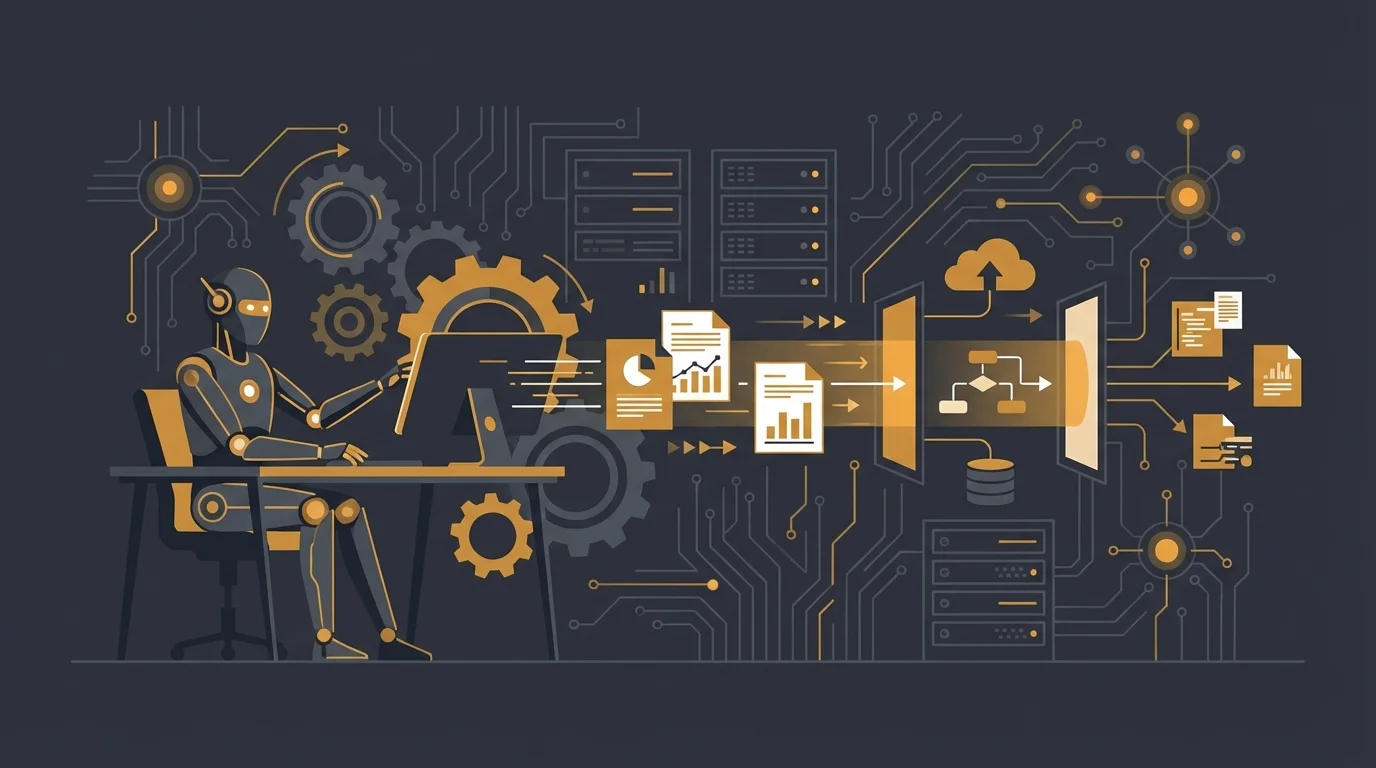
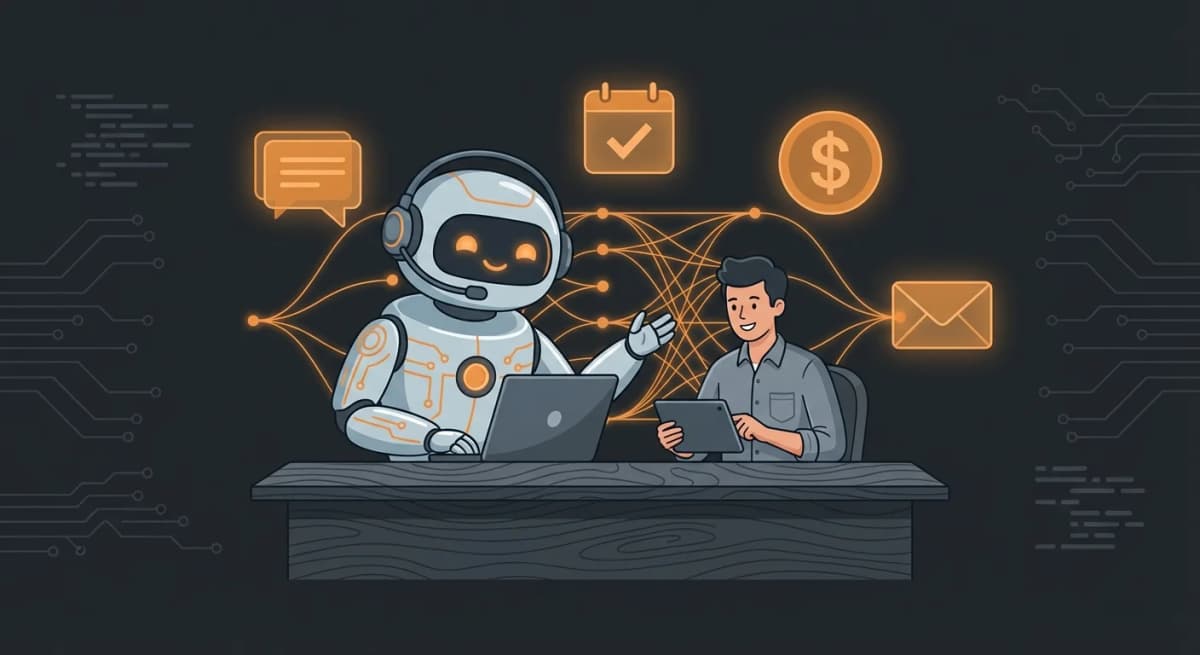
OpenClaw is not a chatbot. It is an autonomous AI agent that can read your emails, manage your calendar, SSH into your servers, post on social media, answer customer questions on WhatsApp, and build you a mini-app while you sleep.
But the gap between "it can do anything" and "here is what I should actually build" stops most people. This guide bridges that gap with 20+ real use cases drawn from the community, organized by category, with concrete implementation details for each one: what skills you need, how to configure it, and what the actual workflow looks like.
Whether you run a business, manage servers, create content, or just want a smarter personal assistant, there is an OpenClaw setup waiting for you.
Quick Reference: Top 20 OpenClaw Use Cases at a Glance
| # | Use Case | Category | Difficulty |
|---|---|---|---|
| 1 | Multi-channel customer service (WhatsApp, Telegram, email) | Business | Medium |
| 2 | Personal CRM with automatic contact discovery | Business | Medium |
| 3 | Lead qualification and scoring | Business | Medium |
| 4 | Automated appointment booking | Business | Easy |
| 5 | Multi-channel personal assistant | Productivity | Easy |
| 6 | Inbox declutter and newsletter digest | Productivity | Easy |
| 7 | Family calendar and household manager | Productivity | Medium |
| 8 | Health and symptom tracker | Productivity | Easy |
| 9 | Personal knowledge base (RAG) | Productivity | Medium |
| 10 | Multi-agent content factory | Content | Hard |
| 11 | YouTube content pipeline | Content | Medium |
| 12 | Reddit and news digest | Content | Easy |
| 13 | Social media account analysis | Content | Easy |
| 14 | Self-healing home server | DevOps | Hard |
| 15 | n8n workflow orchestration | DevOps | Medium |
| 16 | Infrastructure monitoring | DevOps | Medium |
| 17 | Autonomous game dev pipeline | Development | Hard |
| 18 | Goal-driven autonomous tasks | Development | Medium |
| 19 | Dynamic dashboard with sub-agents | Creative | Medium |
| 20 | Phone-based voice assistant | Creative | Medium |
Now let us dive into each category with real implementation details.
1. Business and Customer Service
If you run a business, this is where OpenClaw delivers the most immediate ROI. Instead of paying per-seat SaaS fees for Intercom or Zendesk, you get a fully customizable AI agent that knows your products, speaks your brand voice, and works around the clock.
For a deeper look at business applications, see our OpenClaw for Business guide.
Multi-Channel Customer Service
The problem: Your customers reach you through WhatsApp, Instagram DMs, email, and Google Reviews. You cannot be everywhere at once, and hiring staff for round-the-clock coverage is expensive.
How it works: The agent connects to all your messaging channels simultaneously. A single AI personality handles every conversation, trained on your services, pricing, and policies. The setup uses WhatsApp (via Baileys library, no Business API needed), Instagram via Meta Business Suite, Gmail via the gog OAuth skill, and Google Business Profile API for review responses.
The critical piece is the routing logic in your AGENTS.md:
When receiving customer messages:
1. Identify channel (WhatsApp/Instagram/Email/Review)
2. Classify intent:
- FAQ -> respond from knowledge base
- Appointment -> check availability, confirm booking
- Complaint -> flag for human review, acknowledge receipt
- Review -> thank for feedback, address concerns
3. Match the customer's language (auto-detect EN/ES/FR)
4. Never invent information not in knowledge base
You also configure heartbeat checks every 30 minutes that monitor for unanswered messages older than 5 minutes and alert if the response queue is backing up.
Real results: One deployment at a local restaurant reduced response time from 4+ hours to under 2 minutes, handling 80% of inquiries automatically. A test mode lets you demo the system to clients without affecting real customers.
Skills needed: WhatsApp (Baileys), Instagram Graph API, gog CLI for Gmail, Google Business Profile API.
Getting started: If you want this running in minutes without touching a terminal, ClawRapid deploys a pre-configured business assistant on Telegram with your business context built in.
Personal CRM with Automatic Contact Discovery
The problem: You meet people at events, exchange emails, have calls, and then forget half the details. Important follow-ups slip through the cracks.
How it works: A daily cron job at 6 AM scans your Gmail and Google Calendar for new contacts and interactions over the past 24 hours. The agent extracts names, emails, meeting context, and follow-up commitments, then stores everything in a SQLite database:
CREATE TABLE contacts (
id INTEGER PRIMARY KEY,
name TEXT,
email TEXT,
first_seen TEXT,
last_contact TEXT,
interaction_count INTEGER,
notes TEXT
);
Every morning at 7 AM, a second cron job checks your calendar for today's meetings, researches each external attendee via the CRM and email history, and delivers a briefing to a dedicated Telegram topic: who they are, when you last spoke, what you discussed, and any open follow-up items.
You can query the CRM anytime in natural language: "What do I know about Sarah from Acme Corp?" or "Who needs follow-up this week?"
Skills needed: gog CLI (Gmail + Google Calendar), SQLite database, Telegram topic.
Lead Qualification and Appointment Booking
The problem: Leads come in through your website or social media, but qualifying them and booking meetings eats hours of your day.
How it works: The agent asks qualifying questions based on criteria you define (budget, timeline, company size, specific needs). It scores leads and either books a meeting directly into your Google Calendar or routes hot leads to your phone via notification. The agent checks your real-time availability, proposes slots, handles timezone conversion, and sends confirmation messages with calendar invites.
Read more in our dedicated AI Appointment Booking guide.
2. Personal Productivity
This is where most people start with OpenClaw, and where the "always-on" nature of the agent really shines.
Multi-Channel Personal Assistant
The problem: You want one AI assistant you can reach from anywhere, and unlike ChatGPT, you want it to remember everything, access your real tools, and take actions on your behalf.
How it works: OpenClaw natively supports multiple channels. You set up one agent and it is reachable via Telegram, Discord, WhatsApp, SMS, or even phone calls. The key difference is persistence: your agent has memory files that survive across sessions, access to your filesystem, and the ability to execute real tasks.
A typical personal assistant handles morning briefings (weather, calendar, top emails, news), quick web searches, reminders and task management, note-taking, and travel planning. All from whichever device you have in your hand.
For Telegram setup specifically, check our OpenClaw Telegram Bot tutorial.
Inbox Declutter and Newsletter Digest
The problem: You get 50+ emails a day. Half are newsletters you subscribed to but never read. They pile up without being opened.
How it works: The setup is surprisingly simple. Install the Gmail OAuth skill, optionally create a dedicated Gmail for OpenClaw and migrate your newsletter subscriptions there, then give it one instruction:
Run a cron job every day at 8 PM to read all newsletter emails
from the past 24 hours. Give me a digest of the most important
bits along with links to read more. Then ask for my feedback on
whether you picked good bits, and update your memory based on
my preferences for better digests in future runs.
That last part is what makes it powerful: the agent learns your preferences over time. After a week, it knows you care about AI research but not marketing fluff, so the digests get better and better.
Skills needed: Gmail OAuth skill from ClawHub.
Family Calendar and Household Manager
The problem: Modern families juggle five or more calendars across different platforms. Work calendars have security restrictions. School calendars arrive as PDFs or on websites. Camp schedules live in emails. And "copying events across calendars works well until you forget and one slips through the cracks."
How it works: The agent aggregates all family calendar sources every morning at 8 AM:
- Your Google Work Calendar (read-only OAuth)
- Shared Family Google Calendar
- Partner's calendar (shared view)
- School calendars from PDFs in a watched folder (OCR extraction)
- Recent emails with calendar attachments or event invitations
It compiles a single briefing: today's events color-coded by source, a 3-day lookahead for conflicts, new events since yesterday, and weather context for outdoor activities.
But the real power is ambient message monitoring. The agent watches family group chats (iMessage on macOS, or WhatsApp/Telegram) for mentions of dates and appointments. When someone texts "dentist confirmed for Tuesday at 2pm," the agent automatically creates a calendar event with driving time buffers.
Advanced households also use it for grocery coordination (deduplicating ingredients across meal plans), pantry inventory tracking ("How much milk do we have?"), and photo-based input where you snap a picture of a school calendar and the agent OCRs it into structured events.
Skills needed: Calendar API, iMessage or messaging skill, Telegram/Slack for the family interface, file system access.
Health and Symptom Tracker
The problem: Identifying food sensitivities requires consistent logging over time, which is tedious to maintain manually.
How it works: Create a Telegram topic called "health-tracker" and a log file at ~/clawd/memory/health-log.md. The agent handles three things:
-
Logging: When you message in the health-tracker topic ("had pizza for lunch," "headache at 3pm"), it parses the food items and symptoms, logs them with timestamps, and confirms what was recorded.
-
Reminders: Three daily check-ins prompt you to log: 8 AM for breakfast, 1 PM for lunch, 7 PM for dinner and any symptoms.
-
Analysis: Every Sunday, the agent analyzes the past week's log for correlations. Which foods appear before symptoms? Are there time-of-day patterns? Clear triggers? It posts the analysis to the health-tracker topic and updates a memory file tracking known triggers.
Skills needed: Cron jobs, Telegram topic, file storage.
Personal Knowledge Base (RAG)
The problem: You read articles, save tweets, watch YouTube videos all day but can never find that one thing you saw last week. Bookmarks pile up and become useless.
How it works: Drop any URL into a dedicated Telegram topic or Slack channel and the agent auto-ingests the content: articles, tweets, YouTube transcripts, PDFs. Everything gets chunked, embedded, and stored in a searchable vector database via the knowledge-base skill from ClawHub.
Ask "What did I save about agent memory?" and get ranked results with sources and relevant excerpts. The knowledge base also feeds into other workflows: the YouTube content pipeline queries it when building research cards, and the meeting prep CRM checks it for relevant notes about attendees.
Skills needed: Knowledge-base skill, web_fetch (built-in), Telegram topic.
3. Content Creation
Content creators and marketers are building entire production pipelines with OpenClaw. These are some of the most ambitious community setups.
Multi-Agent Content Factory
The problem: Producing consistent content across blog, YouTube, and social media is a full-time job. Research, writing, and design are three separate phases that most creators handle manually, one at a time.
How it works: This setup chains multiple specialized agents in Discord, where one agent's output feeds the next:
-
Research Agent (channel:
#research): Every morning at 8 AM, scans trending stories, competitor content, and social media for the best content opportunities in your niche. Posts the top 5 ideas with sources. -
Writing Agent (channel:
#scripts): Takes the best idea from#researchand writes a full script, thread, or newsletter draft. -
Thumbnail Agent (channel:
#thumbnails): Generates AI thumbnails or cover images using local image generation (Nano Banana or similar).
The pipeline runs fully automatically. You wake up to finished content waiting for your review in organized Discord channels. You can give feedback directly in the channel ("scripts are too long" or "focus more on AI news") and the agents adapt.
The format is customizable: tweet threads instead of video scripts, podcast outlines instead of blog posts, LinkedIn posts instead of newsletters. Just tell the agent once and it adjusts the entire pipeline.
Skills needed: Discord integration, sessions_spawn/sessions_send for multi-agent orchestration, x-research-v2 for social media research, image generation skill, optionally the knowledge-base skill for RAG-powered research.
For more on how skills power these workflows, see our OpenClaw Skills Guide.
YouTube Content Pipeline
The problem: As a daily YouTube creator, finding fresh, timely video ideas across the web and X/Twitter is time-consuming. Tracking what you have already covered prevents duplicates.
How it works: An hourly cron job scans breaking news (web + X/Twitter) and pitches video ideas to a Telegram topic. But the clever part is deduplication: the agent maintains a 90-day video catalog with view counts and topic analysis, plus a SQLite database with vector embeddings for every past pitch. So you never get pitched the same idea twice, even if it is phrased differently.
CREATE TABLE pitches (
id INTEGER PRIMARY KEY,
timestamp TEXT,
topic TEXT,
embedding BLOB,
sources TEXT
);
When you share a link in Slack (e.g., #ai_trends), the agent automatically researches the topic, searches X for related posts, queries your personal knowledge base, and creates an Asana card with a full outline: hook, key points, sources, and suggested title.
Skills needed: web_search (built-in), x-research-v2 for Twitter/X, knowledge-base skill for RAG, Asana or Todoist integration, gog CLI for YouTube Analytics.
Daily Reddit and News Digest
The problem: You want to stay informed without spending two hours scrolling Reddit and Hacker News.
How it works: Install the reddit-readonly skill (no auth required), list your favorite subreddits, and set up a daily cron:
Every day at 5 PM, give me the top performing posts from these
subreddits: [your list]. Create a separate memory for the reddit
process, about the type of posts I like to see. Every day ask me
if I liked the list. Save my preference as rules in memory for
better digest curation (e.g., do not include memes).
The key is the feedback loop. The agent creates a dedicated memory file for your Reddit preferences and refines the digest based on what you actually engage with. After a week, memes disappear if you never click them, and deep technical posts rise to the top.
Skills needed: reddit-readonly skill from ClawHub.
Social Media Account Analysis
The problem: You want an honest assessment of your Twitter/X presence and growth opportunities.
How it works: The agent fetches your recent posts, engagement metrics, follower patterns, and content themes. It produces a qualitative analysis: what topics perform best, what posting times work, where engagement drops, and specific recommendations for improvement. You can schedule this weekly for ongoing tracking.
4. DevOps and Infrastructure
This is where OpenClaw gets genuinely powerful. An agent with SSH access, cron jobs, and the ability to read logs is not just an assistant, it is a sysadmin that never sleeps.
Self-Healing Home Server
The problem: Running a home server means being on-call 24/7 for your own infrastructure. Services go down at 3 AM, certificates expire silently, disks fill up, and pods crash-loop while you are asleep.
How it works: This is one of the most sophisticated community setups. The agent (one user named theirs "Reef") has SSH access to the home network, kubectl for the K3s cluster, 1Password CLI for secrets (read-only, dedicated AI vault), Gmail access, and an Obsidian vault for knowledge base.
The power comes from the scheduled job system in HEARTBEAT.md:
Every 15 minutes:
- Check kanban board for in-progress tasks, continue work
Every hour:
- Monitor health checks (Gatus, ArgoCD, service endpoints)
- Triage Gmail (label actionable items, archive noise)
- Check for unanswered alerts or notifications
Daily at 7 AM:
- Morning briefing: system health + calendar + weather + tasks
- Security audit: scan for hardcoded secrets, privileged
containers, overly permissive access
Weekly:
- Process notes into structured knowledge base
- Review and optimize infrastructure-as-code
When something breaks, the agent follows a strict protocol: detect via health check, diagnose by reading logs, attempt automated fix (restart pods, prune Docker images, scale resources), verify recovery, and only escalate to you if the fix fails. Strict rules prevent dangerous actions: never hardcode secrets (always use 1Password CLI), never push directly to main (always create a PR), log all infrastructure changes.
One community member reports their agent handling 90% of infrastructure incidents autonomously.
Skills needed: SSH access, kubectl, terraform, ansible, 1Password CLI, gog CLI, Obsidian vault.
Want to run OpenClaw on bare metal? Check our OpenClaw on Raspberry Pi guide.
n8n Workflow Orchestration
The problem: Letting your AI agent directly manage API keys is a security incident waiting to happen. Every new integration means another credential in .env.local, and deterministic sub-tasks (send an email, update a spreadsheet) waste LLM reasoning tokens.
How it works: This pattern separates the AI brain from the API plumbing. OpenClaw delegates all external API interactions to n8n workflows via webhooks:
OpenClaw webhook call n8n Workflow API call External
(agent) ------------------> (locked, with -----------------> Service
(no credentials) API keys) (credentials (Slack, etc)
stay here)
The workflow: (1) Tell OpenClaw what you need ("create a workflow that sends a Slack message when a GitHub issue is labeled urgent"). (2) The agent builds the workflow via n8n's API with an incoming webhook trigger. (3) You add credentials in n8n's UI manually. (4) You lock the workflow to prevent modifications. (5) From now on, OpenClaw calls http://n8n:5678/webhook/my-workflow with a JSON payload. It never sees the API key.
A community-maintained Docker Compose setup (openclaw-n8n-stack) pre-wires everything on a shared Docker network for quick setup.
Why this matters: Credential isolation (keys never in the agent's environment), visual debugging (every workflow is inspectable in n8n's UI), lockable workflows (tested once, frozen forever), and you can add validation, rate limiting, and approval gates in n8n before any external call executes.
Skills needed: n8n API access, fetch/curl for webhooks, Docker.
Infrastructure Monitoring
The problem: You need to know when your websites, APIs, or services go down, but traditional monitoring tools like Uptime Robot or Pingdom can only send alerts, not take action.
How it works: The agent runs periodic health checks (HTTP pings, port checks, SSL certificate expiry, DNS resolution). When something fails, it follows a runbook: check if it is a transient issue, retry, attempt automated recovery, then escalate to you with full context. Unlike passive monitoring, your OpenClaw monitor can restart services, clear caches, and fix configuration issues before you even know there was a problem.
5. Development
Developers are using OpenClaw as an always-on coding partner that does not just suggest code but actually ships it.
Autonomous Game Dev Pipeline
The problem: One dad wanted to build a safe, ad-free gaming portal for his daughters (ages 3 and up). Existing sites were full of spam, aggressive ads, and dark patterns. But populating the portal with 40+ educational games as a solo developer was impossibly slow.
How it works: The agent manages the full game development lifecycle with a "Bugs First" policy. Before implementing any new game, it checks a bugs/ folder. If bug reports exist, it fixes the first one (alphabetical order) before touching the queue.
When the path is clear, the agent:
- Selects the next game from
development-queue.mdusing a round-robin strategy to balance content across age groups - Implements the game in pure HTML5/CSS3/JS (no frameworks, mobile-first, offline-capable), following strict
game-design-rules.md - Registers the game metadata in
games-list.json - Documents changes in
CHANGELOG.mdand updatesmaster-game-plan.mdstatus - Deploys via Git: fetch master, create feature branch, commit with conventional commits, merge back
The result: 1 new game or bugfix every 7 minutes. The agent iterates tirelessly through a backlog of 41+ planned games, alternating between creating new content and fixing issues from previous cycles.
Skills needed: File system access, Git, web development knowledge (built into the LLM).
Goal-Driven Autonomous Tasks (Overnight Mini-App Builder)
The problem: You have big goals but struggle to break them into daily actionable steps. And even when you do, execution takes all your time.
How it works: You brain-dump all your goals to the agent, personal and professional:
Career: Grow my YouTube channel to 100k subscribers.
Launch my SaaS by Q3. Build a community around AI education.
Personal: Read 2 books per month. Learn Spanish.
Business: Scale revenue to $10k/month. Automate my workflow.
Every morning at 8 AM, the agent generates 4-5 tasks it can complete autonomously on your computer that advance those goals. Tasks go beyond app building: competitor analysis reports, video script drafts, social media content, partnership research, feature implementation.
The agent executes the tasks itself and tracks them on a Kanban board it builds for you (yes, it builds its own project management UI in Next.js). You can also enable surprise mini-apps: a new SaaS idea, a tool that automates a boring part of your life, shipped as an MVP overnight.
The brain dump is everything. The more context you give about your goals, the better the daily tasks. The agent discovers tasks you would not have thought of, connecting dots across your goals.
Skills needed: Telegram or Discord, sessions_spawn/sessions_send for autonomous execution.
6. The Most Creative and Unexpected Use Cases
These push the boundaries of what people expect from an AI agent.
Phone-Based Personal Assistant
The problem: You want to talk to your AI agent with voice, hands-free, on any phone, without needing a smartphone app or browser.
How it works: ClawdTalk (built by Telnyx) enables OpenClaw to receive and make actual phone calls. You call a phone number, speak naturally, and the agent responds with voice (text-to-speech). Use cases include:
- "What is on my calendar today?" while driving
- "Show me my open Jira tickets" while walking
- "Search for latest news on AI agents" hands-free
No smartphone required. Works on any phone that can make a call. SMS support is coming soon.
Skills needed: ClawdTalk client, Calendar skill, Jira skill, web search skill.
Dynamic Dashboard with Sub-Agent Spawning
The problem: Static dashboards show stale data and require weeks to build. By the time it is done, requirements have changed.
How it works: You describe what you want to monitor conversationally: "Track GitHub stars, Twitter mentions, Polymarket volume, and system health." OpenClaw spawns sub-agents to fetch each data source in parallel (avoiding sequential API bottlenecks), aggregates results, stores them in a PostgreSQL metrics table for historical tracking, and posts a formatted dashboard to Discord every 15 minutes:
Dashboard Update - [timestamp]
GitHub: 1,247 stars (+12), 89 forks, 5 open issues
Social: 34 Twitter mentions (sentiment: positive)
Markets: $450K Polymarket volume, trending: AI Agents
System: CPU 23%, Memory 61%, Disk 44%
Alerts fire when metrics cross thresholds. Historical data enables trend visualization. And you can reconfigure the entire dashboard via natural language: "Add a chart showing weekly revenue trends" or "Remove the Polymarket section."
Skills needed: Sub-agent spawning, gh CLI for GitHub, bird for Twitter, web_fetch, PostgreSQL, Discord, cron jobs.
Project State Management (Replacing Kanban Boards)
The problem: Traditional project management tools are static. You update them manually, and they are always out of date.
How it works: The agent replaces your Kanban board with event-driven state tracking. Every time something happens (a commit, a message, a deploy, a test result), the agent captures it and updates the project state automatically using a shared STATE.yaml file. Multiple sub-agents can read and write to this file, picking up available work without a central orchestrator.
Ask the agent: "What is the status of the authentication module?" and get a real-time answer based on actual events, not a card someone forgot to move.
How to Get Started
Path 1: Full DIY (Developers)
Install OpenClaw on your own server, configure skills, connect channels. Full control, full responsibility. The OpenClaw GitHub repo has everything you need.
Path 2: Managed Hosting (Technical Users)
Use a hosting provider that handles infrastructure while you focus on configuration. See our Best OpenClaw Hosting comparison for options and pricing breakdowns. You can also check the real costs of running OpenClaw.
Path 3: ClawRapid (Business Users)
If you want the business use cases (customer service, lead qualification, appointment booking) running in 60 seconds without touching a terminal, ClawRapid is built exactly for that. Pre-configured, managed, with human support.
Deploy your AI assistant on Telegram right from this page using the form above, or visit clawrapid.com.
Community Credit
Many use cases in this article were inspired by the excellent Awesome OpenClaw Use Cases repository maintained by the community. It is a growing collection of real implementations with detailed setup guides, skills lists, and configuration examples. If you build something cool with OpenClaw, consider contributing your use case there.
Frequently Asked Questions
What is OpenClaw used for?
OpenClaw is used as an autonomous AI agent for business automation (customer service, CRM, lead generation), personal productivity (email management, calendar, health tracking), content creation (multi-agent pipelines, social media), DevOps (server monitoring, self-healing infrastructure), and software development (project management, code generation). It connects to channels like Telegram, WhatsApp, and Discord to work where you already communicate.
Can OpenClaw replace my customer service team?
OpenClaw can handle 60-80% of routine customer inquiries automatically: order status, FAQs, returns, basic troubleshooting. One restaurant deployment reduced response time from 4+ hours to under 2 minutes. It works best as a first line of support that escalates complex cases to humans with full context. It does not replace your team but makes them dramatically more efficient.
Is OpenClaw free to use?
OpenClaw itself is free and open-source. However, you pay for the AI model API usage (OpenAI, Anthropic, Google), hosting (your own server or a provider), and any third-party integrations. Typical costs range from $5-50/month for personal use depending on volume. For business use, check our pricing breakdown.
How is OpenClaw different from ChatGPT?
ChatGPT is a conversational AI you interact with in a browser. OpenClaw is an autonomous agent that runs 24/7, takes actions (send emails, manage files, run commands), connects to your real tools and channels, remembers everything persistently across sessions, and runs scheduled tasks via cron jobs without you being present. See our full OpenClaw vs ChatGPT comparison.
Do I need coding skills to use OpenClaw?
For basic setups (newsletter digest, Reddit digest, health tracker), minimal technical knowledge is needed. For advanced use cases (self-healing server, multi-agent content factory), you need comfort with the command line and configuration files. For zero-code business deployment, ClawRapid handles everything.
Can OpenClaw work with WhatsApp and Telegram?
Yes. OpenClaw has native channel support for Telegram, WhatsApp, Discord, Slack, and more. You configure channels in the agent settings, and the same AI personality responds across all of them. Our Telegram bot guide covers the setup step by step.
What are OpenClaw skills?
Skills are modular capabilities you add to your agent: Gmail OAuth for email access, reddit-readonly for Reddit browsing, knowledge-base for RAG search, x-research for Twitter monitoring, and hundreds more on ClawHub. They are like plugins that extend what your agent can do. Read our complete OpenClaw Skills guide for details.
Can I run OpenClaw on a Raspberry Pi?
Yes. OpenClaw runs on any Linux machine, including Raspberry Pi 4 and 5. It is a popular choice for always-on personal assistants and self-healing home server setups. See our Raspberry Pi setup guide for hardware recommendations and configuration.
Is it safe to give OpenClaw access to my email and servers?
Safety depends on your configuration. Best practices include: setting explicit permission boundaries in AGENTS.md (what the agent can and cannot do), using the n8n proxy pattern for credential isolation, running 1Password with a dedicated read-only AI vault, and reviewing agent actions via logs. The agent should never hardcode secrets and never push directly to main.
What AI models work with OpenClaw?
OpenClaw supports all major LLM providers: OpenAI (GPT-4, GPT-4o), Anthropic (Claude), Google (Gemini), and local models via Ollama. You can switch models based on your use case, using faster models for simple tasks (digests, logging) and more capable models for complex reasoning (code generation, analysis).
Which model do you want as default?
Which channel do you want to use?
Limited servers, only 13 left
Related articles

OpenClaw for Business: The No-Code Guide to AI Automation in 2026
Learn how to use OpenClaw for business without coding. Customer service, lead gen, appointments, sales automation, and more. 3 paths to get started.

AI Assistant for Small Business: The Complete 2026 Guide
Discover how AI assistants help small businesses save 20+ hours/week. Compare tools, costs, and get started in 60 seconds with our step-by-step guide.
How to Create a Telegram AI Bot with OpenClaw (Step-by-Step Guide 2026)
Complete guide to building your own Telegram AI bot with OpenClaw. Step-by-step setup, configuration tips, use cases, and a 60-second alternative.