AI Chatbot: The Complete Guide to Understanding, Choosing, and Building Your Own (2026)
Everything you need to know about AI chatbots: how they work, types (rule-based, AI, generative), 2026 comparison, use cases by industry, and a tutorial to build your own without coding.
Which model do you want as default?
Which channel do you want to use?
Limited servers, only 11 left
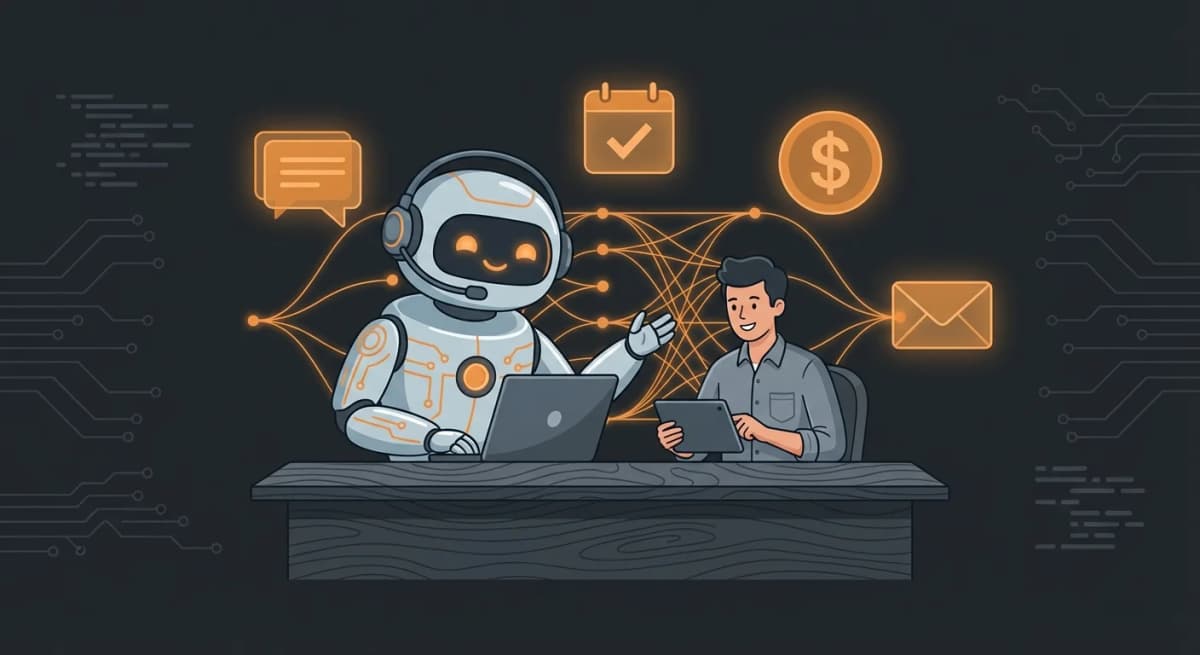
AI chatbots have transformed the way businesses communicate with their customers. In 2026, they no longer just respond "I didn't understand": they grasp context, speak naturally, and adapt to each user.
Yet between basic rule-based chatbots, AI-powered assistants, and next-generation generative bots, it can be hard to navigate the landscape. This guide covers everything: how they work technically, the different types, an honest comparison of 2026 solutions, real-world use cases by industry, and a step-by-step tutorial to create your own AI chatbot, with or without coding.
According to Gartner, 80% of businesses will be using an AI chatbot by the end of 2026. The question is no longer "should I have one?" but "which one should I choose and how do I deploy it?"
Table of Contents
- What is an AI chatbot?
- How does an AI chatbot work?
- The 3 types of chatbots: which one do you need?
- Comparison of the best AI chatbot solutions in 2026
- Use cases by industry
- How to choose your AI chatbot
- Build your AI chatbot: with and without coding
- Deploy an AI chatbot in 60 seconds with ClawRapid
- FAQ
What is an AI chatbot?
An AI chatbot is a program capable of conversing with humans in natural language, leveraging artificial intelligence to understand requests and formulate relevant responses.
Unlike the old dropdown-menu chatbots (the ones that offered "Type 1 for support, 2 for sales"), an AI chatbot analyzes the meaning of the sentence, understands the intent behind the question, and generates a response adapted to the context.
Real-world examples:
- A customer writes "I'd like to cancel my order from February 15" -- the AI chatbot understands it's a cancellation, identifies the relevant order, and initiates the process
- A prospect asks "what do you actually do?" -- the bot explains the company's services with the right sales arguments
- A user writes with typos or slang -- the chatbot understands anyway and responds professionally
The fundamental difference from a simple contact form or static FAQ: an AI chatbot has a dialogue. It asks follow-up questions, remembers the conversation context, and adapts in real time.
How does an AI chatbot work?
Understanding how it works will help you choose the right solution. Here are the 4 stages of a conversation with a modern AI chatbot:
1. Receiving and analyzing the message (NLP)
When a user sends a message, the chatbot uses Natural Language Processing (NLP) to:
- Break the sentence into understandable elements
- Identify the intent (buy, cancel, ask a question, book an appointment)
- Extract key entities (dates, amounts, product names)
2. Understanding context
Modern AI chatbots don't treat each message in isolation. They keep track of:
- The current conversation history
- The user's profile (if available)
- The company's data (catalog, FAQ, policies)
3. Generating the response
Depending on the type of chatbot (more on that below), the response is:
- Selected from a database of predefined answers
- Generated by a large language model (LLM) like GPT, Claude, or Mistral
- Enriched with real-time data (stock, availability, pricing)
4. Continuous learning
The best AI chatbots improve over time. Each conversation feeds the system: misunderstood questions are identified, answers are refined, and the chatbot becomes increasingly accurate.

The 3 types of chatbots: which one do you need?
Not all chatbots are created equal. In 2026, there are three main categories, each with its strengths and limitations.
Rule-based chatbot
How it works: the chatbot follows a predefined decision tree. If the user says X, respond Y.
Advantages:
- 100% predictable and controllable
- No risk of "hallucination"
- Easy to set up for simple cases
Limitations:
- Unable to understand unexpected phrasings
- Heavy maintenance (each new scenario = new code)
- Rigid and frustrating user experience
Ideal for: basic phone hotlines, simple interactive forms.
Example: the old customer service chatbots that ask you to "rephrase your question" as soon as you stray from the expected script.
Conversational AI chatbot
How it works: uses machine learning and NLP to understand the intent behind the message, then selects the best response from its knowledge base.
Advantages:
- Understands language variations (typos, abbreviations, synonyms)
- Improves with each conversation
- Can handle hundreds of topics simultaneously
Limitations:
- Requires initial training with quality data
- Can misinterpret ambiguous requests
- Responses are limited to what exists in the database
Ideal for: customer support, lead qualification, appointment scheduling.
Example: a chatbot trained on a company's FAQ that naturally answers customer questions about pricing, timelines, and conditions.
Generative AI chatbot
How it works: powered by a large language model (LLM), it generates original responses in real time rather than picking from a pre-existing database.
Advantages:
- Natural and contextual responses
- Capable of complex reasoning
- Adapts to unforeseen conversations
- Can be customized with specific instructions (system prompt)
Limitations:
- Risk of hallucination (making up information)
- Higher API cost (tokens are billed)
- Requires guardrails to stay within the company's scope
Ideal for: personalized assistants, advisory, complex sales, advanced technical support.
Example: an AI assistant for a consulting firm that explains services, tailors its pitch to the visitor's profile, and qualifies leads with relevant questions -- all on Telegram or WhatsApp.
Comparison table of the 3 types
| Criterion | Rule-based chatbot | Conversational AI | Generative AI |
|---|---|---|---|
| Language understanding | Low | Good | Excellent |
| Response quality | Rigid | Good | Natural |
| Personalization | Limited | Moderate | High |
| Error risk | Very low | Low | Medium (hallucinations) |
| Setup cost | Low | Medium | Variable |
| Maintenance | Heavy | Moderate | Light |
| Best for | Simple scenarios | Customer support | Full assistants |
In 2026, the trend is clearly toward generative AI chatbots with guardrails. They combine the power of LLMs with constraints that keep them within the company's scope. This is the type of chatbot that solutions like ClawRapid deploy.
Comparison of the best AI chatbot solutions in 2026
Here is an honest comparison of the leading solutions, tested and evaluated based on the real needs of entrepreneurs and SMBs.
For large enterprises
| Solution | Pricing | Channels | Strengths | Limitations |
|---|---|---|---|---|
| Intercom | $39/seat/month | Web, WhatsApp, Email | Complete ecosystem, Fin2 AI | Expensive for small teams |
| Zendesk AI | $55/agent/month | Omnichannel | Native CRM integration | Complex configuration |
| Drift | $2,500/month | Web, Email | Excellent for B2B | Prohibitive price for small businesses |
For SMBs and solopreneurs
| Solution | Pricing | Channels | Strengths | Limitations |
|---|---|---|---|---|
| ClawRapid | $45/month | Telegram, WhatsApp (coming soon) | 60s deployment, personalized AI, human support | Telegram only for now |
| Tidio | $29/month | Web, Email, Messenger | Good for e-commerce | Limited AI conversations |
| Manychat | $15/month | Instagram, Messenger, WhatsApp | Strong on social media | Limited advanced AI |
| Chatbase | $19/month | Web | Easy to set up | Web widget only |
Open source / DIY solutions
| Solution | Pricing | Channels | Strengths | Limitations |
|---|---|---|---|---|
| OpenClaw | Free (hosting at your expense) | Telegram, WhatsApp, Web | Flexible, open source, active community | Technical (server, API, maintenance) |
| Botpress | Free (limited) / $495/month | Web, WhatsApp | Visual interface | Learning curve |
| Rasa | Free (self-hosted) | All | Ultra customizable | Very technical (Python) |
Our recommendation: if you're a solopreneur or small business owner and want an AI chatbot up and running quickly with no technical skills, ClawRapid is the best value. If you're a developer and want total control, OpenClaw is the go-to open source option.
Use cases by industry
AI chatbots are not just for customer support. Here is how each industry leverages them in 2026.
E-commerce and retail
- Product advice: the chatbot recommends items based on customer preferences
- Order tracking: instant answers about delivery status
- Returns management: automated return/refund process
- Upsell/Cross-sell: personalized suggestions based on purchase history
Measured impact: +35% conversion and -60% support tickets (source McKinsey)
Coaching and training
- Prospect qualification: the bot identifies the prospect's level and goals
- Appointment booking: direct scheduling of discovery sessions
- Program FAQ: automated answers about content, pricing, and modalities
- Learner follow-up: automated reminders, resources, and encouragement
Real estate
- Buyer pre-qualification: budget, desired location, property type
- Virtual tours: automatic sending of photos and videos of matching properties
- Availability: 24/7 responses to listing inquiries
- Valuation: collecting information for a personalized estimate
Health and wellness
- Appointment booking: direct scheduling with slot verification
- Reminders: automatic notifications before appointments
- Medical FAQ: answers to common questions (no diagnosis, guidance only)
- Post-consultation follow-up: sending recommendations and documents
Professional services (lawyers, accountants, consultants)
- First contact: collecting essential information before the first meeting
- Automated quotes: price estimates based on case complexity
- Legal/tax FAQ: answers to recurring client questions
- Scheduling: intelligent calendar management
Restaurants and hospitality
- Reservations: direct booking with slot management
- Menu and offerings: dish presentation, allergens, suggestions
- Takeout orders: automated order taking
- Reviews and feedback: automated customer feedback collection
How to choose your AI chatbot
With so many options available, here are the 7 essential criteria for making the right choice.
1. Your communication channels
Where are your customers? If your prospects are on Telegram or WhatsApp, a website chat widget won't help. Choose a solution that deploys on the channels your customers already use.
2. Your technical level
Be honest with yourself. If you're not a developer, a no-code solution like ClawRapid will save you weeks compared to an open source tool.
3. The type of conversations
Simple, repetitive questions? A basic chatbot will do. Complex conversations with context? You need a generative AI chatbot.
4. Conversation volume
Check the limits: many "affordable" solutions cap at 100-500 AI conversations per month. Beyond that, costs skyrocket.
5. Integration with your tools
Your chatbot needs to integrate with your CRM, your calendar, your billing tool. Check available integrations or whether an API exists.
6. Customization
Can the chatbot be trained on your own data? A generic chatbot that misses your industry-specific questions won't deliver any value.
7. Support and guidance
When your chatbot doesn't work as expected, who helps you? A community forum or a human who knows your setup? For non-technical users, human support makes all the difference.
Quick checklist:
- Which channel(s) are my clients on? --> Choose a solution that covers them
- Am I technical or not? --> No-code vs DIY
- How many conversations/month do I have? --> Check the limits
- What's my monthly budget? --> From $0 (DIY) to $45/month (managed) to thousands (enterprise)
Build your AI chatbot: with and without coding
Option 1: No-code
The fastest way to deploy a functional AI chatbot. Ideal for entrepreneurs, freelancers, and small business owners.
With ClawRapid (60 seconds):
- Create your account on clawrapid.com
- Describe your business: the system generates a personalized AI assistant for your niche
- Choose your channel: Telegram (WhatsApp coming soon)
- Add your data: FAQ, catalog, policies -- the chatbot trains automatically
- Deploy: your AI chatbot is live, ready to serve your customers
Cost: $45/month ($15 in AI credits included) (hosting, AI, human support).
With other no-code tools:
- Chatbase: upload a PDF or URL, get a web widget
- Tidio: visual flow editor + AI for responses
- Manychat: automation on Instagram and Messenger
Option 2: With code (DIY)
For developers who want total control.
With OpenClaw (open source):
- Install OpenClaw on a server (VPS starting at $5/month)
- Configure your AI model: GPT, Claude, Mistral, Llama, or other
- Create your skills: modules that define the chatbot's behavior
- Connect your channels: Telegram, WhatsApp, web
- Train on your data: documents, FAQ, knowledge base
- Deploy and maintain: updates, monitoring, API costs to manage
Cost: $15-70/month (server + API) + your development and maintenance time.
Check out our complete OpenClaw hosting guide for the detailed tutorial.
Directly with the OpenAI/Anthropic API:
- Create a developer account and get an API key
- Build your application (Python, Node.js, etc.)
- Integrate with the Telegram/WhatsApp SDKs
- Handle conversation context, memory, and guardrails
- Deploy on a cloud server
Cost: varies by volume (API tokens + hosting).
Comparison: no-code vs code
| Criterion | No-code (ClawRapid) | Code (OpenClaw) | Code (from scratch) |
|---|---|---|---|
| Deployment time | 60 seconds | 2-8 hours | Days to weeks |
| Skills required | None | Linux, CLI | Full development |
| Customization | High (via data) | Total | Total |
| Maintenance | Zero (managed) | Your responsibility | Your responsibility |
| Monthly cost | $45 | $15-70 | Variable |
| Support | Dedicated human | Community | None |
Deploy an AI chatbot in 60 seconds with ClawRapid
ClawRapid is the managed solution that lets non-technical entrepreneurs deploy a personalized AI assistant on Telegram in under a minute.
How it works:
- Choose your AI model from the best on the market (GPT, Claude, Mistral)
- Select your deployment channel (Telegram, WhatsApp coming soon)
- Customize your assistant: describe your business, upload your FAQ
- Deploy with one click: your chatbot is live immediately
What's included for $45/month:
- High-availability cloud hosting
- Access to the best AI models (no extra API fees)
- Full customization for your niche
- Human support
- Automatic updates
- No hard limit on conversations
Why solopreneurs choose ClawRapid:
- Zero technical skills required
- Deployment in 60 seconds (not days or weeks)
- Fixed, predictable pricing (no surprise API bills)
- A human who helps you if something goes wrong
Ready to launch your AI chatbot? Deploy your assistant in 60 seconds on clawrapid.com
FAQ
What exactly is an AI chatbot?
An AI chatbot is a program that uses artificial intelligence to converse with humans in natural language. Unlike rule-based chatbots that follow predefined scripts, an AI chatbot understands the intent behind messages and generates contextual, personalized responses.
How much does an AI chatbot cost?
From free (open source solutions like OpenClaw + your time and hosting) to several thousand dollars per month (enterprise solutions like Intercom or Zendesk). For a solopreneur or small business, expect $29 to $45/month for a managed solution like ClawRapid that includes everything: AI, hosting, and support.
Can an AI chatbot replace human customer service?
Not entirely, and that's not the goal. An AI chatbot efficiently handles 70-80% of recurring requests (FAQ, appointment booking, order tracking). For complex or sensitive cases, escalation to a human remains essential. The idea is to free up your time for the interactions that truly matter.
What is the best AI chatbot in 2026?
It depends on your profile. For solopreneurs and small businesses, ClawRapid offers the best value with 60-second deployment. For developers, OpenClaw is the go-to open source option. For large enterprises, Intercom and Zendesk remain solid choices. Check out our detailed comparison for a full analysis.
Do I need to know how to code to create an AI chatbot?
No. No-code solutions like ClawRapid let you deploy a personalized AI chatbot with zero technical skills. You describe your business, upload your data, and the chatbot is operational in minutes. Coding is only necessary if you want total control (in which case OpenClaw is recommended).
Which channels can I deploy an AI chatbot on?
AI chatbots can be deployed on many channels: websites (chat widget), Telegram, WhatsApp, Facebook Messenger, Instagram, email, and even phone. The channel choice depends on your audience. In 2026, messaging platforms like Telegram and WhatsApp offer the best engagement rates (80-90% open rate compared to 1-5% for email).
Is an AI chatbot secure for customer data?
Yes, as long as you choose a solution that complies with GDPR and security standards. Verify that the provider encrypts data, doesn't use it to train their own models, and offers deletion options. European-hosted solutions (like ClawRapid) are generally GDPR-compliant by default.
How long does it take to set up an AI chatbot?
It varies enormously by solution. With ClawRapid, expect 60 seconds for initial deployment and a few hours to fine-tune responses with your data. With a DIY solution like OpenClaw, plan for 2 to 8 hours of technical setup. Enterprise platforms often take several weeks.
Conclusion
AI chatbots in 2026 are no longer a novelty: they are essential productivity tools for any business that communicates with customers. Whether you're a coach, retailer, real estate agent, or consultant, a well-configured AI chatbot can handle the majority of your customer interactions while freeing up your time for what truly matters.
The most important thing is not to choose the most expensive or most technical chatbot, but the one that fits your reality: your technical level, your communication channels, and your budget.
If you want to test risk-free, ClawRapid lets you deploy a personalized AI assistant on Telegram in 60 seconds, for $45/month ($15 in AI credits included). No code, no complex setup, no surprises.
Launch your AI chatbot now. Deploy in 60 seconds on clawrapid.com
Which model do you want as default?
Which channel do you want to use?
Limited servers, only 8 left
Articles similaires

How to Automate Customer Service with AI in 2026 (Complete Guide)
Learn how to automate customer service with AI chatbots. Step-by-step guide with real tools, costs, and results for small businesses and solopreneurs.

Automate Your Prospecting in 2026: Complete Guide for Entrepreneurs
Discover how to automate your sales prospecting with AI, chatbots, and multichannel tools. Practical guide with strategies, tools, and FAQ.

OpenClaw Lead Generation Setup: AI Qualification Chatbot + CRM Integrations
A complete guide to using OpenClaw for lead generation: qualification flows, lead scoring, CRM sync, follow-ups, and examples. Deploy in 60s with ClawRapid.