
AI Assistant for Freelancers: One System Instead of Ten Tabs
Why freelancers need a unified AI assistant instead of 10 fragmented tools. Invoicing, client comms, prospecting, and time tracking in one place.

Jean-Elie Lecuy
|Founder of ClawRapid
SaaS builder writing about OpenClaw, AI agents, and agentic coding, with one goal: make powerful tooling actually usable.
Freelancers are drowning in tools. Toggl for time tracking, FreshBooks for invoicing, Calendly for scheduling, Notion for project management, Slack for one client, email for another, WhatsApp for three more. Each tool works fine on its own. Together, they create a fragmented mess that eats 5-10 hours per week in context-switching alone.
What if one AI assistant handled the boring parts across all of them?
Not another SaaS dashboard. A personal assistant that lives in the messaging apps you already use and connects to your existing tools behind the scenes.
The Freelancer's Real Problem Is Not Productivity
Every "AI for freelancers" article recommends ChatGPT for writing, Midjourney for design, and GitHub Copilot for code. Those are production tools. They help you do the work.
But the work is not the problem. The problem is everything around the work:
- Chasing late payments (average freelancer spends 2-3 hours/week on invoicing)
- Responding to client messages across 4 different platforms
- Context-switching between projects with no buffer
- Forgetting to follow up with prospects
- Losing track of hours because you forgot to start the timer
A 2024 Payoneer survey found freelancers spend 33% of their working time on non-billable tasks. For someone billing $100/hour, that is $13,200/month in lost potential revenue on a standard 40-hour week.
What a Unified AI Assistant Looks Like
A personal AI assistant built on OpenClaw connects to WhatsApp, Telegram, Slack, Discord, email, and 20+ other channels simultaneously. Here is how three different freelancers use it:
For a Freelance Developer
Monday morning, via Telegram: "Good morning. Here is your week: 3 active projects, 2 invoices due. Client A's sprint review is Wednesday at 3 PM. Client B has not responded to your API spec since Thursday. Want me to send a follow-up?"
During the day:
- Client messages on Slack about a bug. Assistant acknowledges, logs it, and adds it to your task list
- Client B replies on WhatsApp with new requirements. Assistant summarizes and flags scope creep: "This request is outside the original SOW. Want me to draft a change order?"
- End of day: "You tracked 6.5 hours today across 2 projects. Client A: 4h, Client C: 2.5h. Your monthly total for Client A is 34h against a 40h budget."
Friday: "Invoice reminder: Client B's February invoice ($4,800) is 7 days overdue. Want me to send a follow-up message?"
For a Freelance Designer
Client intake via WhatsApp:
New prospect: "Hi, I need a logo and brand identity for my startup"
Your assistant: "Thanks for reaching out! To give you an accurate quote, I need a few details: 1) What does your startup do? 2) Do you have any existing brand elements? 3) What is your timeline? 4) Approximate budget range?"
The assistant qualifies the lead, collects the brief, and sends you a structured summary. You only step in when it is time for the creative conversation.
Project delivery:
- Sends revision rounds to clients with your files attached
- Tracks revision count: "This is revision 4 of 3 included. Want me to notify the client about additional revision fees?"
- Collects feedback in a structured format
For a Freelance Consultant
Prospecting automation:
- You define your ideal client profile
- When you meet someone at a conference or networking event, you add them to your pipeline via a quick WhatsApp message: "Add lead: Sarah Chen, VP Ops at TechCorp, met at SaaStr, interested in process optimization"
- Assistant schedules follow-up: Day 3 (connection message), Day 10 (value-add content), Day 21 (soft pitch)
Client reporting:
- Weekly automated summaries sent to each client via their preferred channel
- Monthly progress reports compiled from your notes and time logs
- End-of-engagement feedback collection
The 10-Tool Problem vs. One Assistant
Here is what a typical freelancer's stack looks like:
The fragmented approach:
- Time tracking: Toggl ($10/month)
- Invoicing: FreshBooks ($17/month)
- Scheduling: Calendly ($10/month)
- Project management: Notion ($10/month)
- Email marketing: Mailchimp ($13/month)
- Proposals: Better Proposals ($19/month)
- Contracts: HelloSign ($15/month)
- CRM: HubSpot Free
- Communication: Slack + WhatsApp + Email (manual)
- Accounting: Wave (free but manual)
Total: $94/month + 5-10 hours/week managing them
None of these tools talk to each other natively. When a client emails about a project, you manually update your time tracker, check your invoicing app, and respond across whatever channel they used.
The unified assistant approach: Your AI assistant becomes the integration layer. It does not replace all these tools (some you still need). But it connects them:
- Client messages you on WhatsApp about starting a new project. Assistant creates a project in your system, sets up time tracking, and drafts a proposal
- You finish a milestone. Assistant generates and sends the invoice, starts the payment follow-up sequence
- A prospect goes cold. Assistant sends a check-in message at the right time
The assistant is the glue. One conversation interface, all your business operations flowing through it.
Five Automations Every Freelancer Should Start With
1. Invoice Follow-Up Sequence
Set it and forget it. Invoice sent, reminder at 7 days, firmer reminder at 14 days, escalation notice at 30 days. Professional tone, consistent timing, zero emotional energy spent.
2. Client Onboarding Flow
New client signs on. Assistant sends welcome message, collects necessary info (billing details, project brief, communication preferences), and sets up the project structure. You just show up for the kickoff call.
3. Daily Standup Summary
Every morning: active projects, pending items, overdue invoices, upcoming deadlines. Takes 10 seconds to read. Replaces 20 minutes of checking multiple dashboards.
4. Prospect Follow-Up
The money is in the follow-up. 80% of sales happen after the 5th contact, but most freelancers give up after 1-2. Automated follow-up sequences keep prospects warm without you remembering to check in.
5. End-of-Day Time Log
"What did you work on today?" A simple question from your assistant at 6 PM. You reply in natural language ("4 hours on Client A's dashboard, 2 hours on Client B's API"), and it logs everything properly.
How to Set It Up
ClawRapid makes deployment straightforward:
- Deploy your assistant (choose your AI model, connect WhatsApp or Telegram via QR code)
- Define your business rules (rates, working hours, follow-up sequences, escalation triggers)
- Connect your tools via OpenClaw's skills system (calendar, invoicing, project management APIs)
- Start with one workflow (invoice reminders are the easiest quick win)
- Expand gradually as you see what saves the most time
Because it is built on OpenClaw's open-source platform, you own your data, you are not locked into any vendor, and you can customize everything to match how you actually work.
FAQ
Q: Can it handle clients who use different platforms? A: That is the whole point. OpenClaw connects to 22+ channels. Client A on Slack, Client B on WhatsApp, Client C on Telegram. One assistant, all channels.
Q: What about confidential client work? A: You self-host via OpenClaw. No third-party SaaS sees your conversations or client data. Everything stays on your infrastructure.
Q: Is it hard to set up? A: ClawRapid handles deployment in minutes. The initial setup is choosing your AI model and scanning a QR code for WhatsApp. Customizing workflows takes more time but can be done incrementally.
Q: Will clients know they are talking to an AI? A: You decide. Most freelancers use the assistant for administrative messages (reminders, follow-ups, intake) and handle creative and strategic conversations personally. The handoff is seamless.
Stop losing billable hours to admin work. Deploy your freelancer AI assistant today and focus on what clients actually pay you for.
Which agent do you want to deploy?
The battle-tested assistant, extensible with 16,000+ skills.
Which model do you want as default?
Low token prices with Max reasoning. You can also connect a ChatGPT subscription that includes this model.
You can switch anytime from your dashboard
Which channel do you want to use?
You can switch anytime from your dashboard
In 60 seconds, your AI agent is live.
Related articles
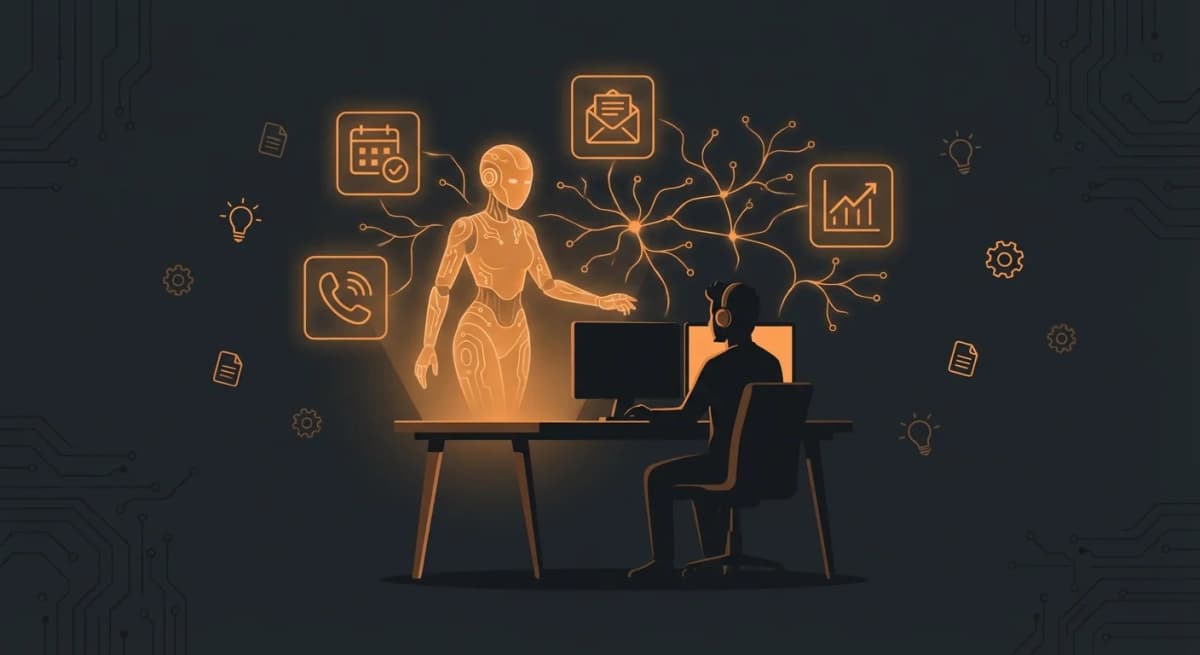
OpenClaw for Freelancers: Client Intake, Follow-Up, and Admin Relief
Use OpenClaw as a solo-operator assistant for client intake, follow-up, lightweight CRM, scheduling, and admin reduction.

OpenClaw for Real Estate: Automate Lead Capture and Property Showings
How real estate agents use OpenClaw AI to qualify leads, book property showings, and follow up with clients 24/7. Deploy in 60 seconds with ClawRapid.
OpenClaw for Restaurants: Reservations, Reviews, Orders, and Daily Specials
How restaurants use OpenClaw AI for automated reservations, Google review management, daily menu updates, and order taking. Deploy with ClawRapid in 60 seconds.