
Telegram Chatbot: Complete Guide to Building an AI Bot in 2026
Learn how to create a Telegram AI chatbot in minutes. BotFather tutorial, code and no-code options, business use cases, and deployment with ClawRapid.

Jean-Elie Lecuy
|Founder of ClawRapid
SaaS builder writing about OpenClaw, AI agents, and agentic coding, with one goal: make powerful tooling actually usable.
Telegram has over one billion monthly active users in 2026. With its open API and bot-friendly culture, it's the ideal platform to deploy an AI assistant for your business.
Whether you're a coach, real estate agent, e-commerce seller, or freelancer, a Telegram chatbot can automate your customer service, qualify your prospects, and book appointments 24/7, with zero technical skills required.
In this guide, you'll learn how to create your own Telegram AI chatbot, from the basics (BotFather) to advanced solutions (Python, no-code, ClawRapid), with real-world use cases for every type of business.
Table of Contents
- What is a Telegram chatbot?
- Why Telegram for your business?
- Create a Telegram bot with BotFather (step by step)
- 3 ways to make your bot intelligent
- Real-world business use cases
- How much does a Telegram chatbot cost?
- Deploy a Telegram AI chatbot in 60 seconds with ClawRapid
- FAQ
What is a Telegram chatbot?
A Telegram chatbot is an automated program that interacts with your customers directly inside the Telegram app. Unlike a simple autoresponder, a modern AI chatbot can:
- Understand natural language: your customers ask questions as they would speak to a human
- Access your data: products, pricing, availability, customized FAQ
- Perform actions: book an appointment, send a quote, qualify a prospect
- Learn from your documents: upload a PDF or website, and the bot masters it
Telegram offers an official Bot API that is free and unlimited in messages. This is a major advantage over WhatsApp Business (limited to 1,000 free messages/month) or Messenger (subject to Meta's ever-changing rules).
How does a Telegram bot work?
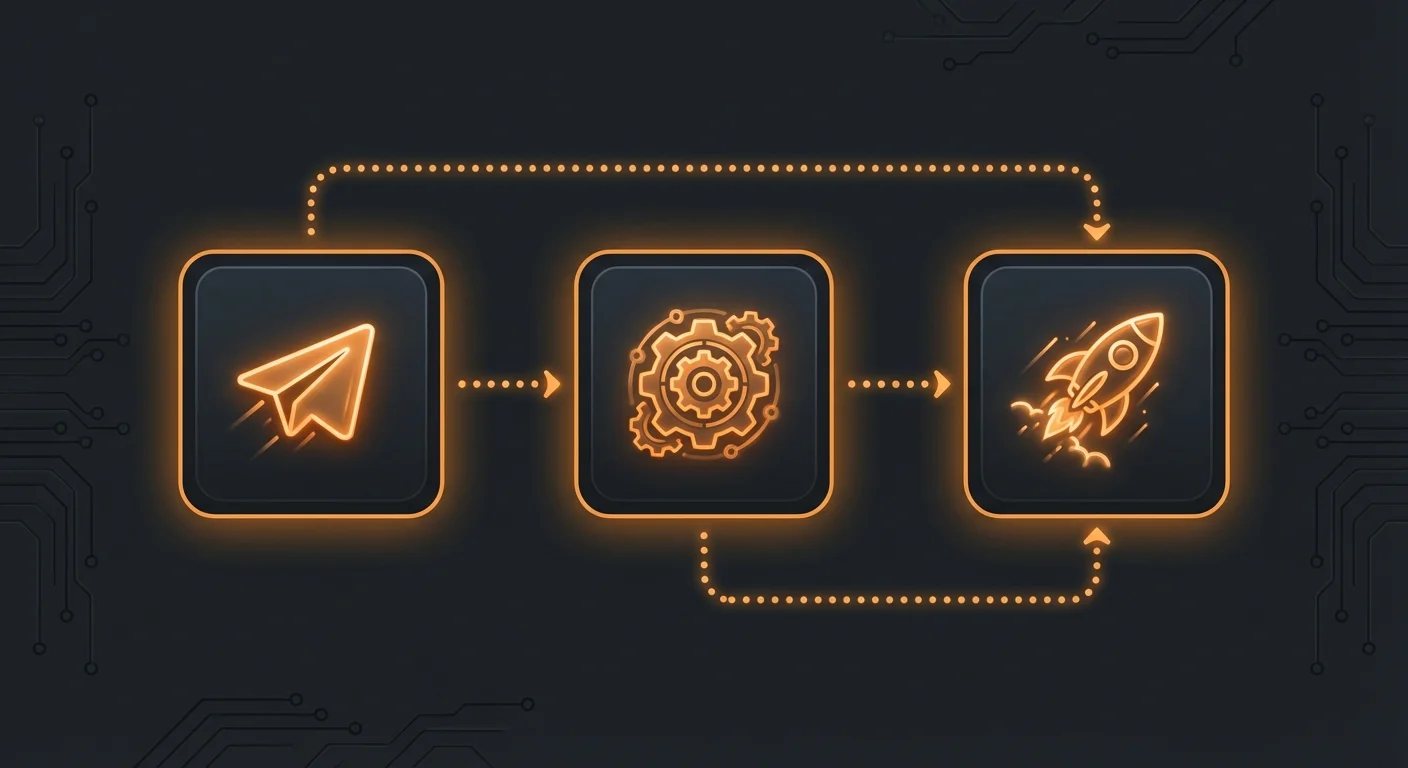
The principle is simple:
- You create a bot via @BotFather (Telegram's official bot for creating bots)
- You receive a unique API token
- You connect this token to a service that handles the logic (Python code, no-code platform, or managed solution like ClawRapid)
- Users send messages to your bot, the service replies automatically
Why Telegram for your business?
Before diving into creation, let's look at why Telegram is the most relevant choice for a business AI chatbot in 2026.
Open and free API
Telegram provides a complete Bot API at no cost and with no volume limits. You can send text messages, images, files, interactive buttons, and even integrated payments, all for free.
Massive and engaged audience
With over one billion active users, Telegram reaches a global audience. The platform is experiencing sustained growth, especially among professionals and tech communities.
Advanced bot features
Telegram offers unique bot features that competitors don't provide:
- Inline buttons: interactive menus directly in the conversation
- Custom commands:
/start,/help,/pricingaccessible in one click - Native webhooks: real-time communication without polling
- Groups and channels: your bot can moderate groups or post in channels
- Integrated payments: accept payments directly in the chat
Quick platform comparison
| Criterion | Telegram | WhatsApp Business | Messenger |
|---|---|---|---|
| Free API | Yes, unlimited | 1,000 msg/month free | Yes, with restrictions |
| Interactive buttons | Yes (inline + reply) | Limited | Yes |
| Files and media | Up to 2 GB | 16 MB max | 25 MB max |
| Integrated payments | Yes | No (external link) | No |
| Groups/Channels | Yes (up to 200,000) | 1,024 members | No |
| Privacy | No visible phone number | Phone number required | Facebook account required |
Create a Telegram bot with BotFather (step by step)
The first step for any Telegram chatbot is creating the bot itself via BotFather. Here is the detailed process.
Step 1: Open BotFather
- Open Telegram (mobile or desktop)
- Search for @BotFather in the search bar
- Click Start (or send
/start)
BotFather is Telegram's official bot, verified with a blue badge. Don't confuse it with imitations.
Step 2: Create a new bot
- Send the command
/newbot - BotFather asks for a display name (e.g., "MyBusiness Assistant")
- Then a unique username ending in "bot" (e.g., "mybusiness_bot")
Step 3: Get your API token
BotFather sends you a message containing your API token, which looks like this:
7123456789:AAF1x2y3z4-AbCdEfGhIjKlMnOpQrStUv
Keep this token secret. Anyone who has it can control your bot. Never publish it on GitHub or in a public message.
Step 4: Configure your bot
Still in BotFather, customize your bot:
/setdescription: description shown when someone discovers your bot/setabouttext: "About" text on the profile/setuserpic: profile picture (your company logo)/setcommands: define menu commands (e.g.,pricing - See our pricing)
At this point, your bot exists but does nothing. Now you need to connect it to a "brain" that processes messages.
3 ways to make your bot intelligent
You have your token. Now, three options are available to give your bot intelligence.
Option 1: Python code (for developers)
If you're a developer or comfortable with code, Python is the royal road.
Popular libraries:
python-telegram-bot: the most complete and well-documentedaiogram: asynchronous, ideal for performancetelebot(pyTelegramBotAPI): the simplest to get started
Minimal example with python-telegram-bot + OpenAI:
from telegram import Update
from telegram.ext import Application, MessageHandler, filters
import openai

openai.api_key = "your-openai-key"

async def handle_message(update: Update, context):
    response = openai.chat.completions.create(
        model="gpt-5.4",
        messages=[
            {"role": "system", "content": "You are the assistant of MyBusiness. Reply in English."},
            {"role": "user", "content": update.message.text}
        ]
    )
    await update.message.reply_text(response.choices[0].message.content)

app = Application.builder().token("YOUR_BOT_TOKEN").build()
app.add_handler(MessageHandler(filters.TEXT, handle_message))
app.run_polling()
Advantages: Total control, unlimited customization, no platform fees.
Disadvantages: Need a server (VPS starting at $5/month), maintenance, error handling, no conversation persistence by default.
Estimated cost: $5 to $20/month (VPS) + $10 to $50/month (OpenAI API depending on usage)
Option 2: No-code platforms
For non-developers, several platforms allow you to create a Telegram chatbot without writing a single line of code.
Popular platforms:
- SendPulse: visual chatbot builder, limited free plan
- Chatfuel: simple but limited AI
- ManyChat: excellent for Instagram/Messenger, basic Telegram support
- Botpress: open source, more technical but powerful
- n8n: workflow automation, native Telegram integration
Advantages: No code, visual interface, quick to set up.
Disadvantages: Responses are often scripted (not real AI), limits on free plans, platform dependency, limited customization.
Estimated cost: $0 to $49/month depending on platform and volume
Option 3: Managed solution with AI (ClawRapid)
ClawRapid combines the best of both worlds: the power of AI (GPT, Claude, Gemini models) with the simplicity of no-code.
How it works:
- You paste your BotFather token in ClawRapid
- You choose your AI model (GPT, Claude, Gemini...)
- You customize the system prompt (personality, instructions, FAQ)
- Your bot is live in 60 seconds
Advantages: Real conversational AI (not scripts), hosting and maintenance included, human support, automatic model updates.
Disadvantages: Fixed monthly cost ($45/month), less customization than pure code.
Estimated cost: $45/month ($15 in AI credits included) (hosting + AI + support)
Comparison table of the 3 options
| Criterion | Python | No-code | ClawRapid |
|---|---|---|---|
| Setup time | Hours/days | Hours | 60 seconds |
| Skills required | Development | None | None |
| Conversational AI | Yes (to configure) | Limited | Yes (native) |
| Hosting | Self-managed | Included | Included |
| Maintenance | Manual | Partial | Automatic |
| Monthly cost | $15-70 | $0-49 | $45 |
| Customization | Unlimited | Limited | Good |
Real-world business use cases
A Telegram chatbot is not just a tech gadget. Here are concrete examples by industry.
Automated customer service
The problem: You spend 2 hours a day answering the same questions (hours, pricing, availability).
The solution: A Telegram chatbot that answers frequently asked questions instantly, 24/7.
Example for a restaurant:
Customer: "Are you open on Sunday?" Bot: "Yes, we're open Sunday from 12pm to 2:30pm and 7pm to 10pm. Would you like to reserve a table?"
According to an IBM study, chatbots reduce customer service costs by 30% on average.
Automated appointment booking
The problem: Back-and-forth emails or phone calls to find a time slot take forever.
The solution: Your bot proposes available slots and confirms the booking in real time.
Example for a coach:
Customer: "I'd like to book a coaching session" Bot: "Here are the available slots this week:
- Tuesday 2pm-3pm
- Thursday 10am-11am
- Friday 4pm-5pm Which one works for you?"
Intelligent contextual FAQ
The problem: Your website FAQ is 3 pages long. Nobody reads it.
The solution: A chatbot that answers the customer's exact question, in the context of the conversation.
Example for an e-commerce store:
Customer: "My order is late, number 12345" Bot: "Let me check your order #12345. It was shipped on February 23 and should arrive tomorrow. Here's the tracking link: [link]. Can I help with anything else?"
Lead qualification (lead generation)
The problem: You receive inquiries via Telegram but don't have time to qualify them all.
The solution: The chatbot asks the right questions and sends you a qualified summary.
Example for a real estate agency:
Bot: "Welcome! Are you looking to buy or rent?" Customer: "To buy" Bot: "Great. What is your approximate budget?" Customer: "300,000 dollars" Bot: "And in which area?" Customer: "Downtown or West End" Bot: "Perfect, I'm forwarding your search to our specialized agent. They will contact you within 24 hours."
Internal support (teams)
Your bot can also serve internally:
- Onboarding: answering new employees' questions
- IT helpdesk: guiding users through common issues
- Knowledge base: searching internal documentation
How much does a Telegram chatbot cost?
Let's break down the real costs, not the marketing teaser prices.
DIY cost (Python developer)
| Item | Monthly cost |
|---|---|
| VPS (Hetzner, DigitalOcean) | $5-15 |
| OpenAI API (GPT) | $10-50 |
| Domain + SSL | $1 |
| Maintenance time | 2-4h/month |
| Total | $16-66/month |
No-code platform cost
| Platform | Free plan | Paid plan |
|---|---|---|
| SendPulse | 1,000 msgs/month | $12/month |
| Chatfuel | 50 conversations | $15/month |
| Botpress | Open source | $49/month (Cloud) |
| n8n | Self-hosted | $20/month (Cloud) |
Warning: These platforms rarely offer real conversational AI. Responses are often scripted, which limits the user experience.
ClawRapid cost (managed solution)
| Item | Cost |
|---|---|
| ClawRapid subscription | $45/month |
| Hosting | Included |
| AI (GPT, Claude, Gemini) | Included |
| Maintenance and updates | Included |
| Human support | Included |
| Total | $45/month |
For a solopreneur or small business, ClawRapid offers the best value: you get real conversational AI, hosted and maintained, at a fixed and predictable cost.
Deploy a Telegram AI chatbot in 60 seconds with ClawRapid
Here is how to get your Telegram AI chatbot live with ClawRapid in three steps.
Step 1: Create your bot on BotFather
Follow the instructions from the previous section. Copy your API token.
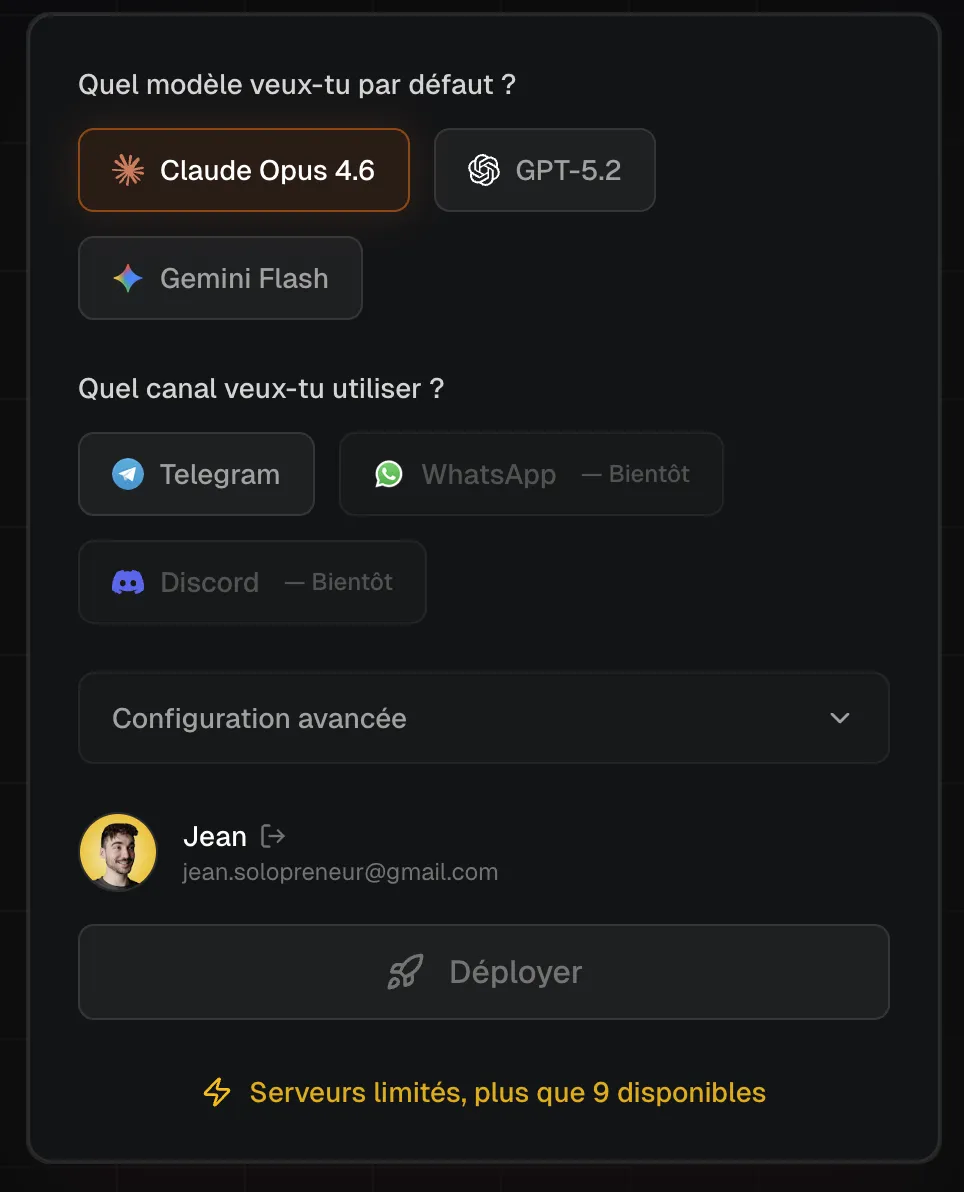
Step 2: Configure ClawRapid
- Go to clawrapid.com
- Choose your AI model (GPT recommended for general use)
- Select Telegram as your communication channel
- Paste your BotFather token
- Customize the system prompt: describe your business, pricing, and instructions
Step 3: Deploy
Click "Deploy." In under 60 seconds, your bot is live and ready to serve your customers.
What's included:
- Dedicated server hosting
- Conversational AI with context memory
- Automatic model updates
- Technical support via email and chat
- Conversation tracking dashboard
Best practices for your Telegram chatbot
To get the most out of your chatbot, follow these tips.
Write a good system prompt
The system prompt is your bot's "personality." Be specific:
You are the virtual assistant of [Your Business Name].
You respond in English, in a professional and friendly manner.
You know our pricing: [list of prices].
Our hours: [hours].
If you don't know the answer, say so honestly
and offer to transfer to a human.
Add Telegram commands
Set up commands in BotFather to guide your users:
/start- Welcome message/pricing- See pricing/book- Book an appointment/help- Get help/human- Talk to a human
Test regularly
Send test messages every week. Verify that:
- Answers are accurate and up to date
- The bot handles off-topic questions well
- Response time remains fast (under 3 seconds)
Analyze conversations
Read your customers' conversations to:
- Identify frequently asked questions not yet covered
- Improve the system prompt
- Spot cases where the bot fails
FAQ
Do I need to know how to code to create a Telegram chatbot?
No. With solutions like ClawRapid, you can deploy a complete Telegram AI chatbot without writing a single line of code. You just need to create a bot via BotFather (5 minutes) and paste the token into ClawRapid.
How much does a Telegram chatbot cost per month?
From $0 to $66/month depending on the option you choose. A DIY Python bot costs $15-66/month (VPS + API). A no-code platform costs $0-49/month but rarely offers real AI. ClawRapid offers a plan at $45/month ($15 in AI credits included).
Can my chatbot work in French?
Yes. Modern AI models (GPT, Claude, Gemini) are fluent in French. With ClawRapid, you choose the model and language in the configuration.
What's the difference between a Telegram chatbot and a classic bot?
A classic bot follows scripted rules ("if the customer says X, respond Y"). An AI chatbot understands natural language and can answer unexpected questions, rephrase, and maintain a contextual conversation.
Can I use my chatbot in a Telegram group?
Yes. Telegram bots can work in private conversations (DMs) and in groups. In a group, you can configure the bot to respond only when mentioned (@yourbot).
Is my customer data secure?
With ClawRapid, your data is hosted on European servers and is never shared with third parties. Conversations are encrypted in transit (TLS) and API tokens are stored securely.
Can I connect my chatbot to other tools (CRM, calendar, etc.)?
With the Python solution, yes, without limits. With ClawRapid, the bot can access documents and websites via OpenClaw Skills. Native CRM integration is under development.
How many messages can my chatbot handle?
The Telegram API imposes no message limit. The only constraint is your server capacity or your plan. ClawRapid handles thousands of messages per day without issues.
Conclusion
Building a Telegram AI chatbot has never been more accessible. Whether you choose the technical route (Python), no-code, or a managed solution like ClawRapid, the important thing is to take action.
Businesses that automate their communication on Telegram save time, improve their customer service, and never miss an opportunity, even at 3 AM.
Ready to launch your Telegram AI chatbot? Try ClawRapid and deploy your first bot in 60 seconds.
Sources
Read next
Which agent do you want to deploy?
The battle-tested assistant, extensible with 16,000+ skills.
Which model do you want as default?
Low token prices with Max reasoning. You can also connect a ChatGPT subscription that includes this model.
You can switch anytime from your dashboard
Which channel do you want to use?
You can switch anytime from your dashboard
In 60 seconds, your AI agent is live.
Related articles
OpenClaw Multi-Channel Assistant: Route Work Across Telegram, Slack, Email, and Calendar
Use OpenClaw as a routing layer across Telegram, Slack, Gmail, and Calendar, with approvals, handoffs, and audit rules for cross-channel work.
How to Build an Intelligent Discord Bot with OpenClaw (Complete Guide)
Create a smart Discord bot powered by AI using OpenClaw. Covers bot setup, guild workspace pattern, components v2, forum channels, and real configuration examples.
OpenClaw + n8n: Orchestrate APIs Securely via Webhooks
Connect OpenClaw to 400+ services while isolating credentials in n8n. Webhook proxy pattern, Docker setup, locked workflows, and security best practices.